
Querying
Use the console's search tool on a collection to test retrieval and see which passages a question would surface.
Every collection has a built-in search tool in the console, for testing retrieval before you rely on it: type a question, and see the chunks the collection considers the closest match, ranked by relevance.
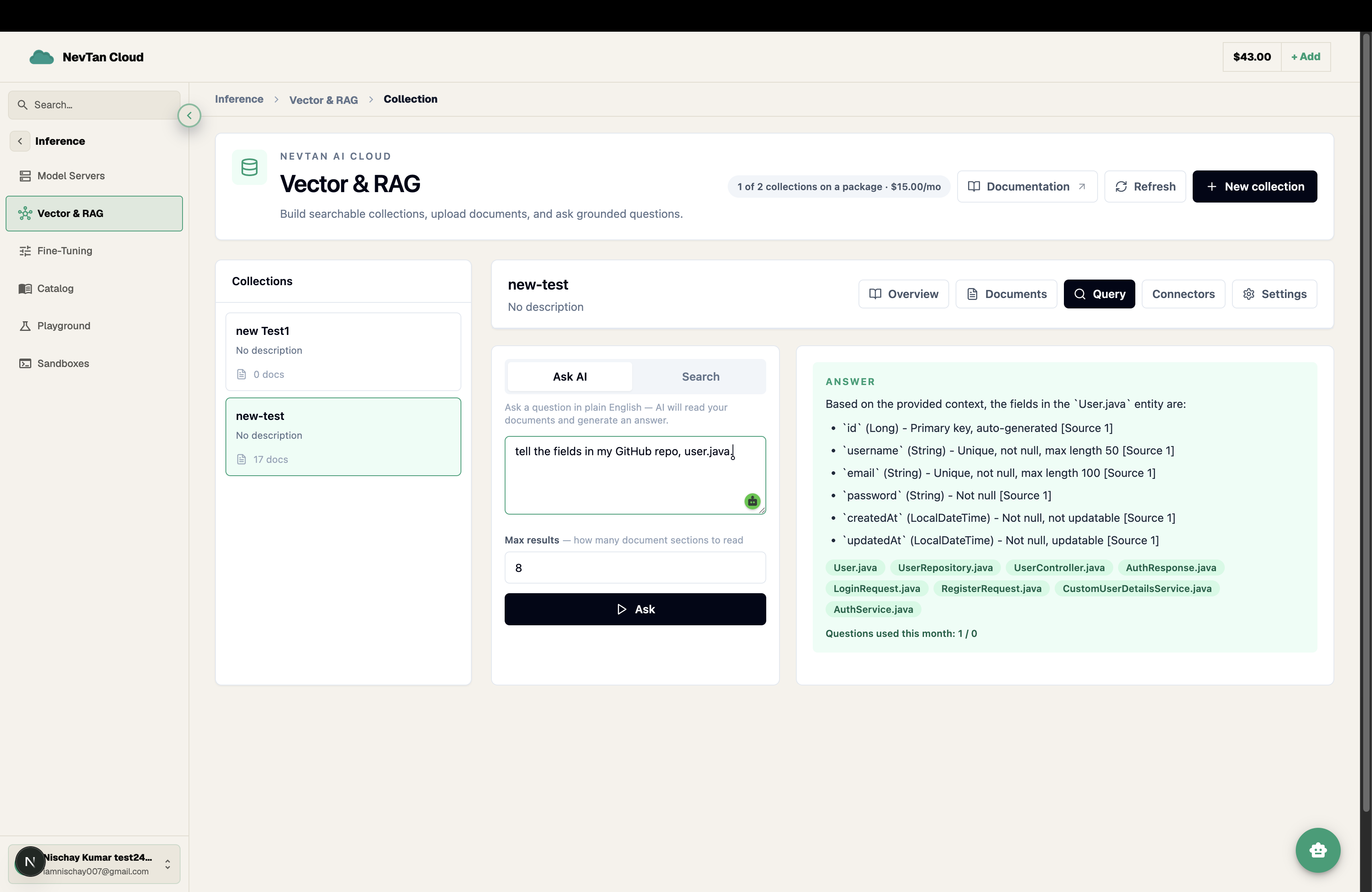
Run a search
- 1Open the Search tabFrom inside a collection, open Search (or Query) to bring up the test tool.
- 2Type a questionEnter a natural-language question, the same way an end user might phrase it — e.g. "What is the refund window for annual plans?"
- 3Review the matchesThe console returns the matching chunks ranked by relevance, along with the source document each one came from.
- 4Adjust and re-testNot seeing the right passage? Try rephrasing the question, or revisit chunking on the collection's settings — smaller or larger chunks can change what surfaces.
Matching combines the meaning of your question (via embeddings) with lexical signal, so exact terms like product names, error codes, or IDs are still weighted even when they're rare in the embedding space. Use the result count control in the search tool to see more or fewer matches at once.
What this tool is for
The search tool is meant for testing and tuning a collection — checking that the right passages come back for the questions you expect users to ask, and adjusting chunking or documents until they do. It is a console feature for validating retrieval quality, not something wired into your own application.
When results look off
- The right passage exists but isn't returned — try rephrasing the question closer to how the source document phrases it, or check whether the answer is split across a chunk boundary (see Documents on what chunks well).
- Too many near-duplicate chunks come back — the source may have repeated the same content in several documents; consolidating them narrows results.
- A specific term, ID, or product name never surfaces — confirm it appears verbatim in a document, since lexical matching only helps with terms that are actually present in the text.
Run through a handful of the real questions you expect end users to ask before trusting a collection's answers — a quick pass here catches gaps in coverage or chunking long before they show up as a wrong answer downstream.