
Overview
Managed PostgreSQL, MySQL, MongoDB, and Redis — with automatic backups and trusted-source allowlists — created from the console in a few clicks.
NevTan Databases are fully managed clusters you can spin up in seconds from the console. Pick an engine — PostgreSQL, MySQL, MongoDB, or Redis — a version, a size package, and a region, and we handle provisioning, patching, and backups.
If you're new to this: a database is simply where your app's data lives permanently — your users, their orders, their messages — so it's still there after the app restarts or a visitor closes their browser. An app without a database can only remember things while it's running; a database is what makes data stick around. NevTan's job here is to give you that storage as a ready-to-use, always-on cluster you create with a few clicks — you never install or manage the database software yourself.
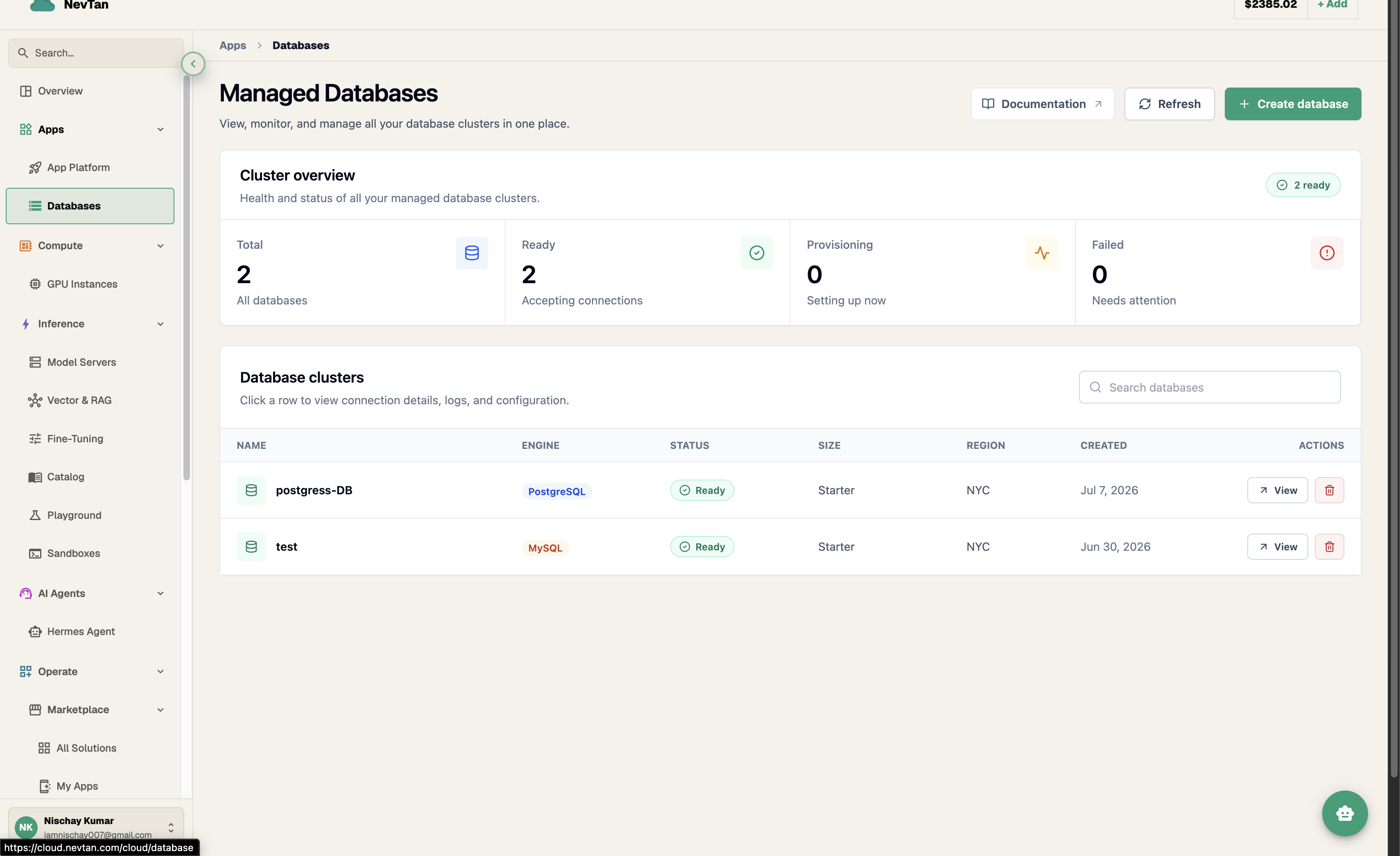
The Databases page
The Databases list opens with a Cluster overview card showing four live counts — Total, Ready ("Accepting connections"), Provisioning ("Setting up now"), and Failed ("Needs attention") — so you can tell the health of every cluster you own at a glance, before scrolling to the list itself.
Below that, the Database clusters table lists every cluster with its Name, Engine, Status, Size, Region, and Created date, plus quick View and delete actions per row — click anywhere on a row to open its full connection details, logs, and configuration.
Managed vs. self-hosted
Running your own database means owning the whole operational surface: installing and patching the engine, tuning it for the box it sits on, wiring up backups and testing restores, watching disk and connection limits, and reacting when a node falls over at 3am. A NevTan database removes that surface. You choose an engine, version, and package from the console; we provision the cluster, keep it patched, take backups on the schedule your package includes, and show you one connection endpoint on the database's page. What you keep is the part that's actually yours: the schema, the data, and the queries your app sends.
Three things in particular go away once a cluster is managed: patching (engine security releases roll out on a schedule you never have to track), backups (they run automatically on the cadence your package includes, instead of being a cron job you wrote once and hope still works), and network exposure (a self-hosted box is reachable by anything that can route to it unless you configure a firewall yourself; a NevTan cluster starts unreachable by everything until you explicitly add a trusted source). Together, patching and backups remove the maintenance burden, and trusted sources remove the security burden — the two reasons a self-hosted database usually needs a dedicated owner.
What you get
- Four managed engines: PostgreSQL, MySQL, MongoDB, and Redis — same console workflow, regardless of which one you pick.
- Automatic backups — daily on Production and above, with point-in-time restore on High Memory, so a bad migration or an accidental
DROPisn't a disaster. - Trusted-source allowlists on Private-network clusters: nothing can reach it until you explicitly grant access per IP or CIDR range from the console.
- Connection pooling headroom built into each package's max-connections ceiling, so short-lived serverless connections and long-lived app-server connections both fit without hand-tuning the engine.
- One bill — clusters are billed monthly from your credit balance, with no separate infrastructure invoice to reconcile.
Choosing a package for your workload
Starter suits development, staging, and low-traffic side projects — enough headroom for a handful of app instances and light query volume. Production is the default for a live app serving real users: more vCPU and RAM for concurrent queries, a higher connection ceiling for multiple app instances or workers, and daily backups. High Memory targets workloads with large working sets that need to stay cached in RAM — bigger Redis datasets, MongoDB collections with heavy aggregation, or Postgres/MySQL instances under sustained write load — and adds point-in-time restore so you can recover to a specific second, not just the last nightly snapshot. See Packages for the full spec.
Lifecycle
Quickstart
- 1Create a databaseChoose an engine, version, package, and region on the Create Database form. See Create a database.
- 2Allow your IPDatabases reject every connection until you add a trusted source — your workstation, your app server, or your platform's outbound IP range.
- 3ConnectOpen the Connect tab to see your connection details, and connect with your usual client or driver.
Explore
Provision a cluster by engine, version, package, and region.
Compare cluster-size packages — vCPU, RAM, storage, and connections.
See which versions are available for each engine.
Manage the IP allowlist that controls who can connect.
Find your connection details and connect with psql, mysql, mongosh, or redis-cli.
Monthly price per package.