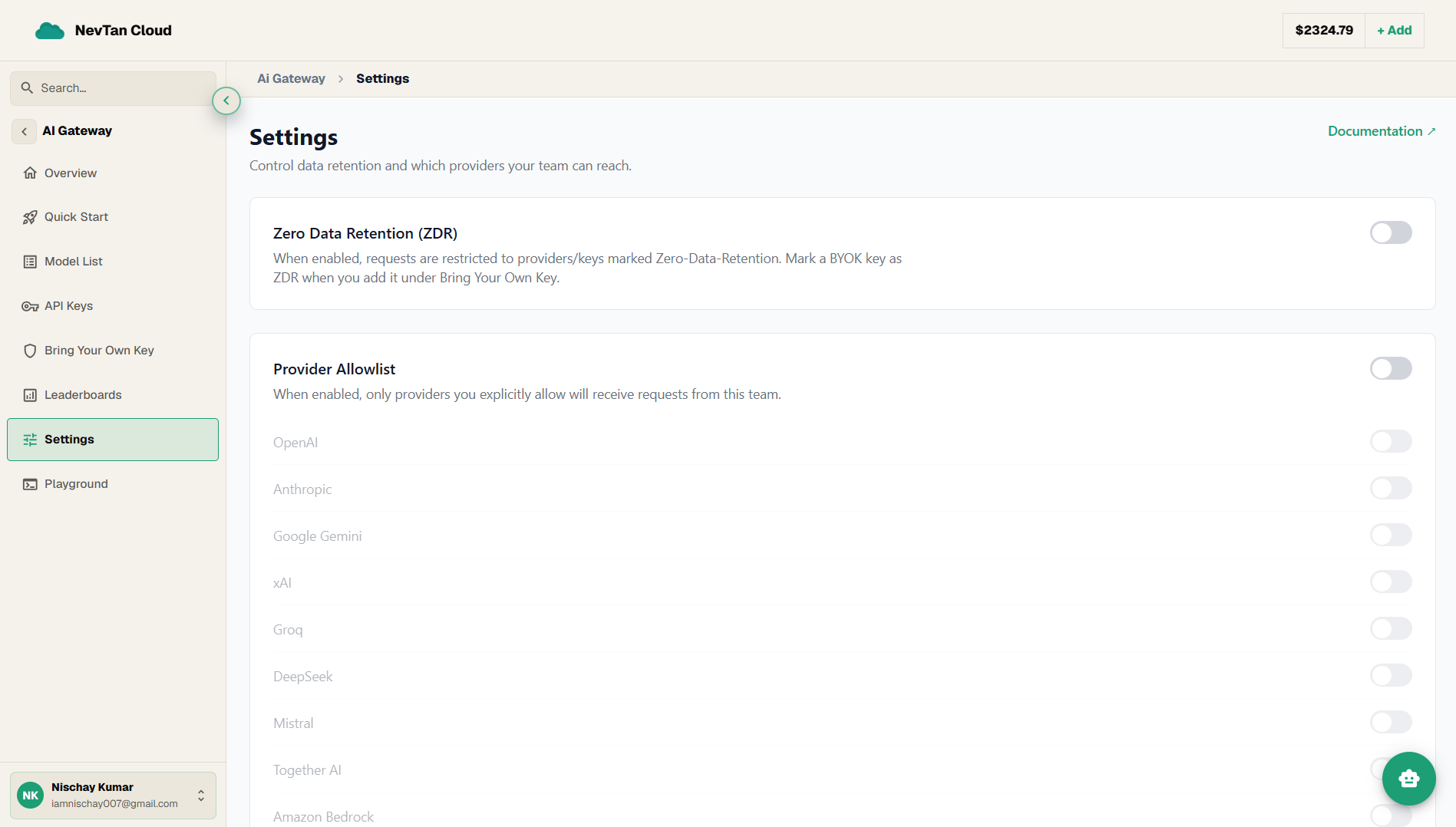
Settings
Team-level controls for gateway data retention (Zero Data Retention) and which providers your team is allowed to reach.
The Settings screen controls how the gateway handles your data and which providers it is allowed to route to for your team.
Zero Data Retention (ZDR)
Turn Zero Data Retention on to restrict requests to providers and keys marked Zero-Data-Retention — where the upstream will not retain your prompts or outputs. You mark a BYOK key as ZDR when you add it under Bring Your Own Key, and you can find ZDR-capable models with the zdr filter in the model catalog.
Provider allowlist
Turn the Provider Allowlist on to limit which providers can receive requests from your team, then toggle individual providers on. When the allowlist is on, only the providers you explicitly allow are reachable; when it is off, any provider you hold a key for is available.
This is useful for keeping a team on an approved set of vendors — for example, allowing only Anthropic and OpenAI and blocking the rest regardless of which keys happen to be present.
Change a setting
- 1Open SettingsIn the AI Gateway, open Settings.
- 2Toggle Zero Data RetentionFlip the Zero Data Retention switch on to restrict traffic to ZDR-marked providers and keys.
- 3Enable the Provider AllowlistFlip the Provider Allowlist switch on, then toggle on each provider your team should be able to reach.