
Bring Your Own Key
Store your own provider credentials so the gateway can call OpenAI, Anthropic, and more on your behalf.
A BYOK key is your credential for a hosted provider. The gateway stores it encrypted (AES-256-GCM), and when a request resolves to that provider, decrypts it and forwards the call — you pay the provider directly.
Add keys on the Bring Your Own Key screen, or via the API below. The raw key is never returned again — only a masked hint like sk-a…9f2c.
Add a key in the console
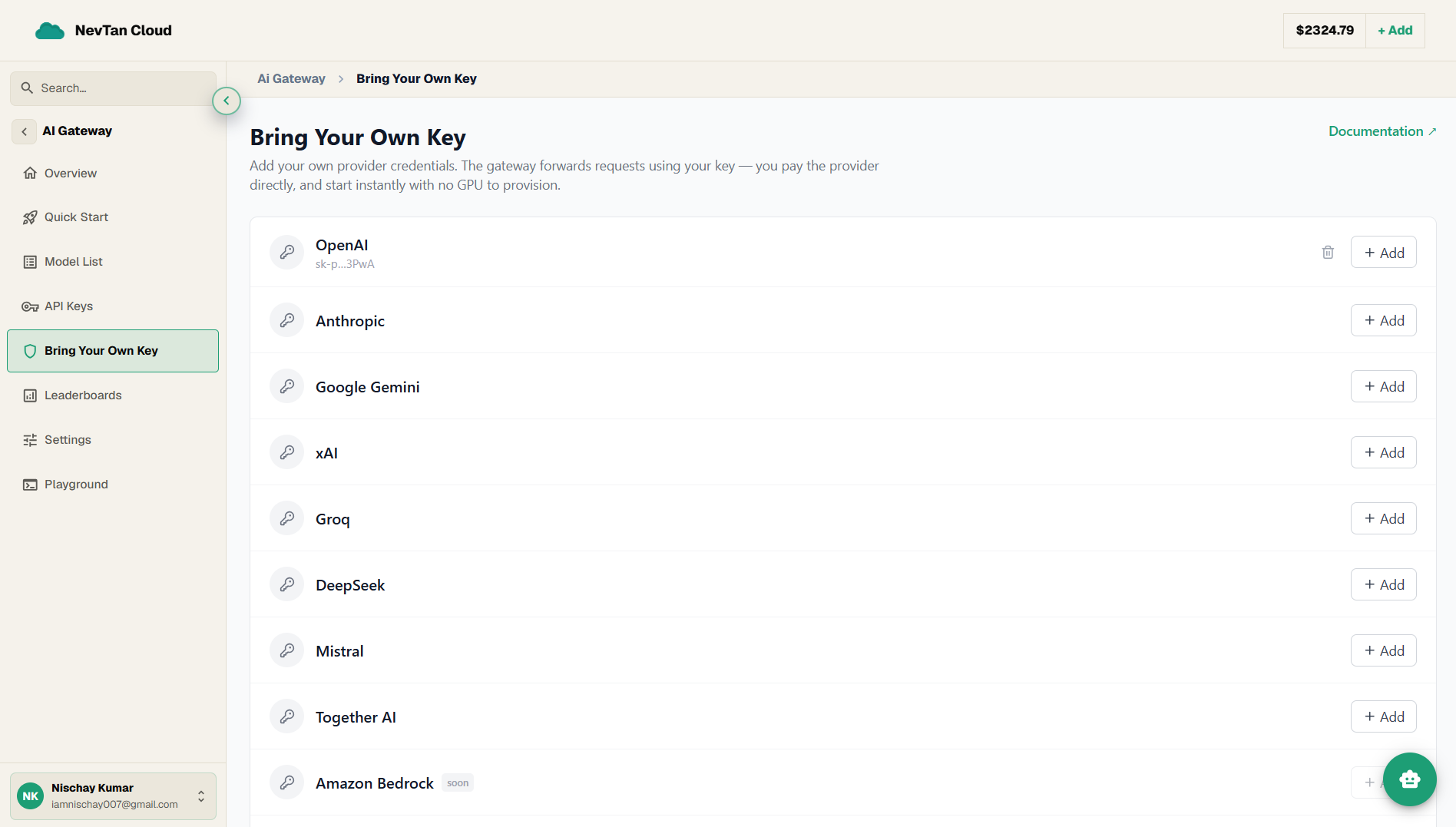
- 1Open Bring Your Own KeyIn the AI Gateway, open Bring Your Own Key. There is a row for each provider; ones not yet available are marked soon and cannot be added.
- 2Click Add on a providerFind the provider you hold a key for and click Add on its row.
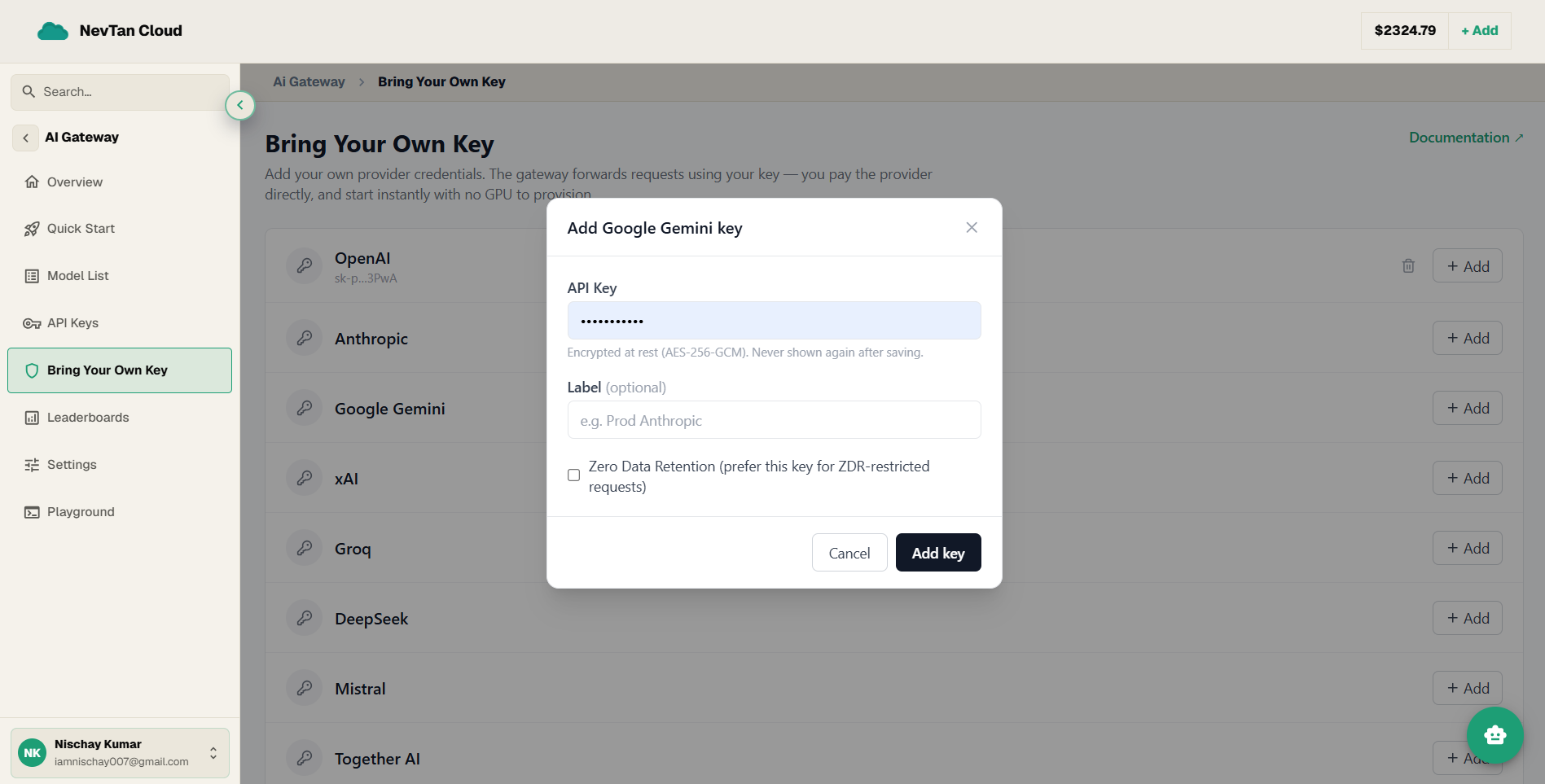
- 3Paste your keyIn the dialog, paste your provider API Key (e.g.
sk-...). It is encrypted at rest (AES-256-GCM) and never shown again after saving. - 4Label it and set ZDR (optional)Add an optional Label (e.g.
Prod Anthropic) to tell multiple keys apart, and tick Zero Data Retention to prefer this key for ZDR-restricted requests. - 5SaveClick Add key. The provider row then shows a masked hint for the saved key, and a trash icon removes it whenever you need.
Manage keys
Base: https://api.cloud.nevtan.com/api/v1GET
/gateway/providersList routable providers you can add a key for.GET
/gateway/keysList your saved BYOK keys (masked).POST
/gateway/keysAdd a provider key.DELETE
/gateway/keys/{id}Remove a provider key.Add a key
| Parameter | Type | Description |
|---|---|---|
providerrequired | string | Provider slug, e.g. anthropic, openai, gemini. |
api_keyrequired | string | Your provider API key. Encrypted at rest; never returned. |
label | string | Optional display label, e.g. Prod Anthropic. |
zdr | boolean | Mark as Zero-Data-Retention; preferred for ZDR-restricted requests. |
Keep provider keys server-side
Add BYOK keys from your dashboard or a trusted backend. Never embed a raw provider key in client-side code.