
Playground
Test any hosted model in the console with your BYOK key — the same OpenAI-compatible endpoint your app would call, no code required.
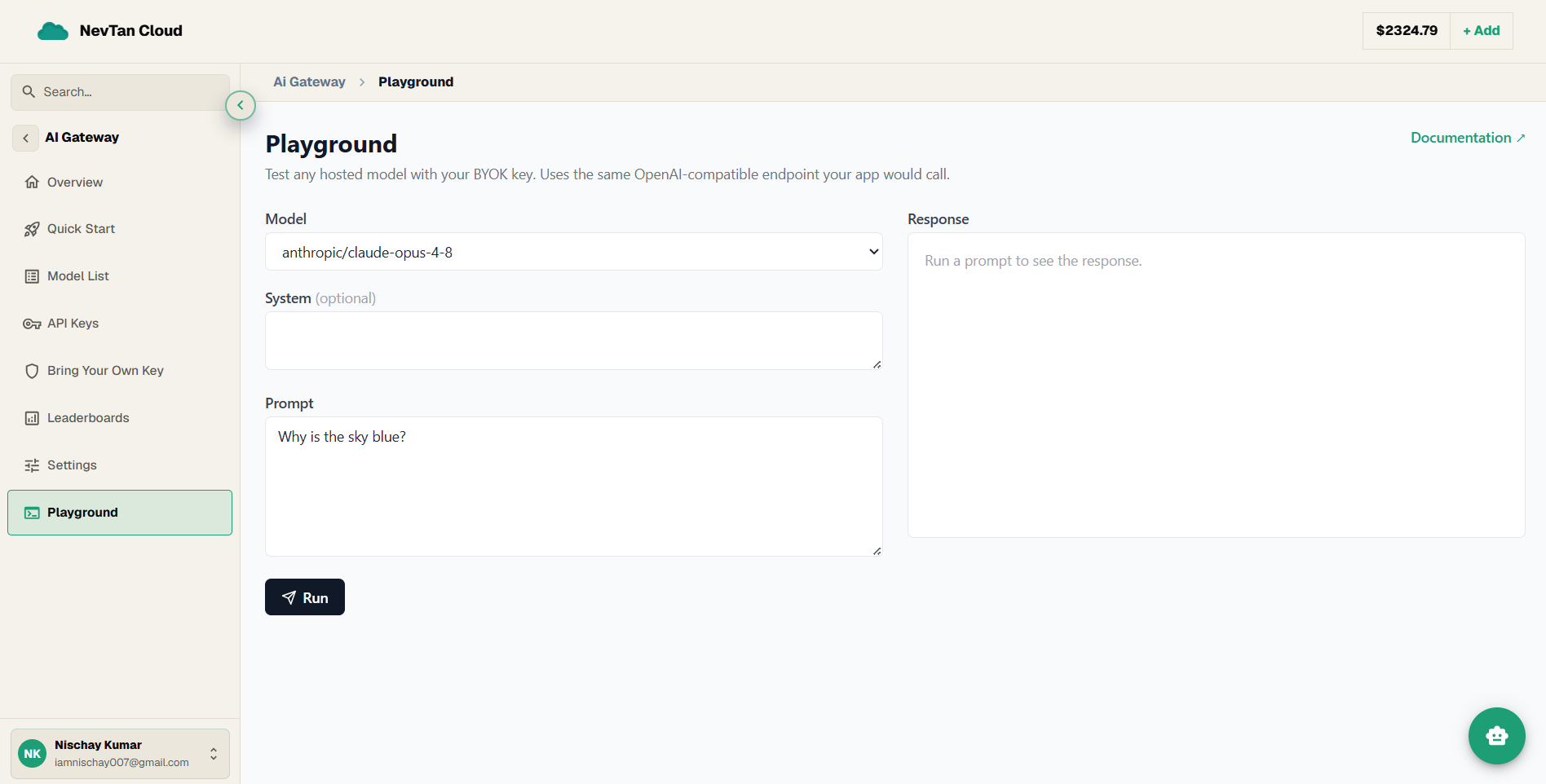
The Playground lets you try any hosted model straight from the console. It calls the same OpenAI-compatible endpoint your application would — so what you see here is what your code will get.
Pick a model, optionally set a system message, type a prompt, and Run. The response appears beside your input. There is nothing to install and no request body to hand-write.
Fields
| Parameter | Type | Description |
|---|---|---|
Modelrequired | select | A hosted text model, by provider/model id (e.g. anthropic/claude-sonnet-5). Only hosted models appear here — your own GPU model servers are separate. |
System | text | Optional system message that sets the assistant behaviour for the run. |
Promptrequired | text | The user message to send. |
How to use it
- 1Add a provider key firstThe Playground routes through your stored provider credential. Add one under Bring Your Own Key for the provider whose model you want to try.
- 2Pick a modelChoose any hosted text model from the dropdown. Switching models is a one-field change.
- 3Set a system message and a promptThe system message is optional; the prompt starts pre-filled with an example you can replace.
- 4RunThe gateway sends your messages to the provider and shows the reply in the Response pane.
What it calls under the hood
Run sends your messages to
POST /gateway/v1/chat/completions with max_tokens: 1024 — exactly the API reference endpoint. The Playground is the no-code way to exercise the same call your app makes.Needs a BYOK key
If a run fails with a message about a missing key, add a provider key for that model under Bring Your Own Key — the gateway needs it to reach the provider.