Logs & rollbacks
Stream project and deployment logs; stop, resume, cancel, redeploy, and roll back to a previous version.
Every project streams logs, and the full lifecycle — stop, resume, cancel, redeploy — lives in one action bar. Rollbacks just redeploy a known-good version.
Where to find these controls
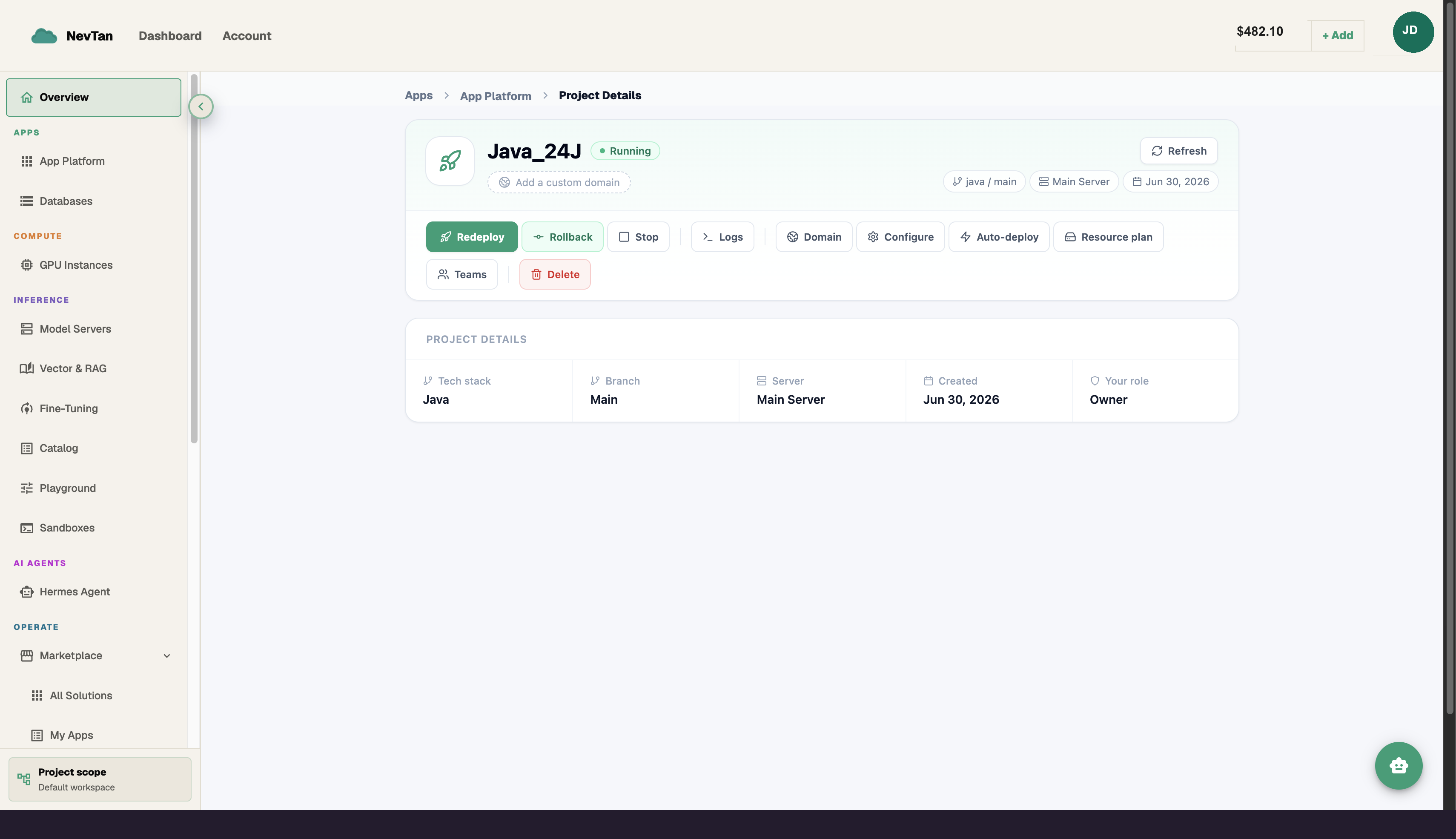
Every action below lives in one hero bar on the project page: Redeploy, Rollback, Stop/Restart (Cancel appears in place of Stop while a build is running), Logs, Domain, Configure, Auto-deploy, Resource plan, and Teams — with Delete set apart after a divider since it's destructive.
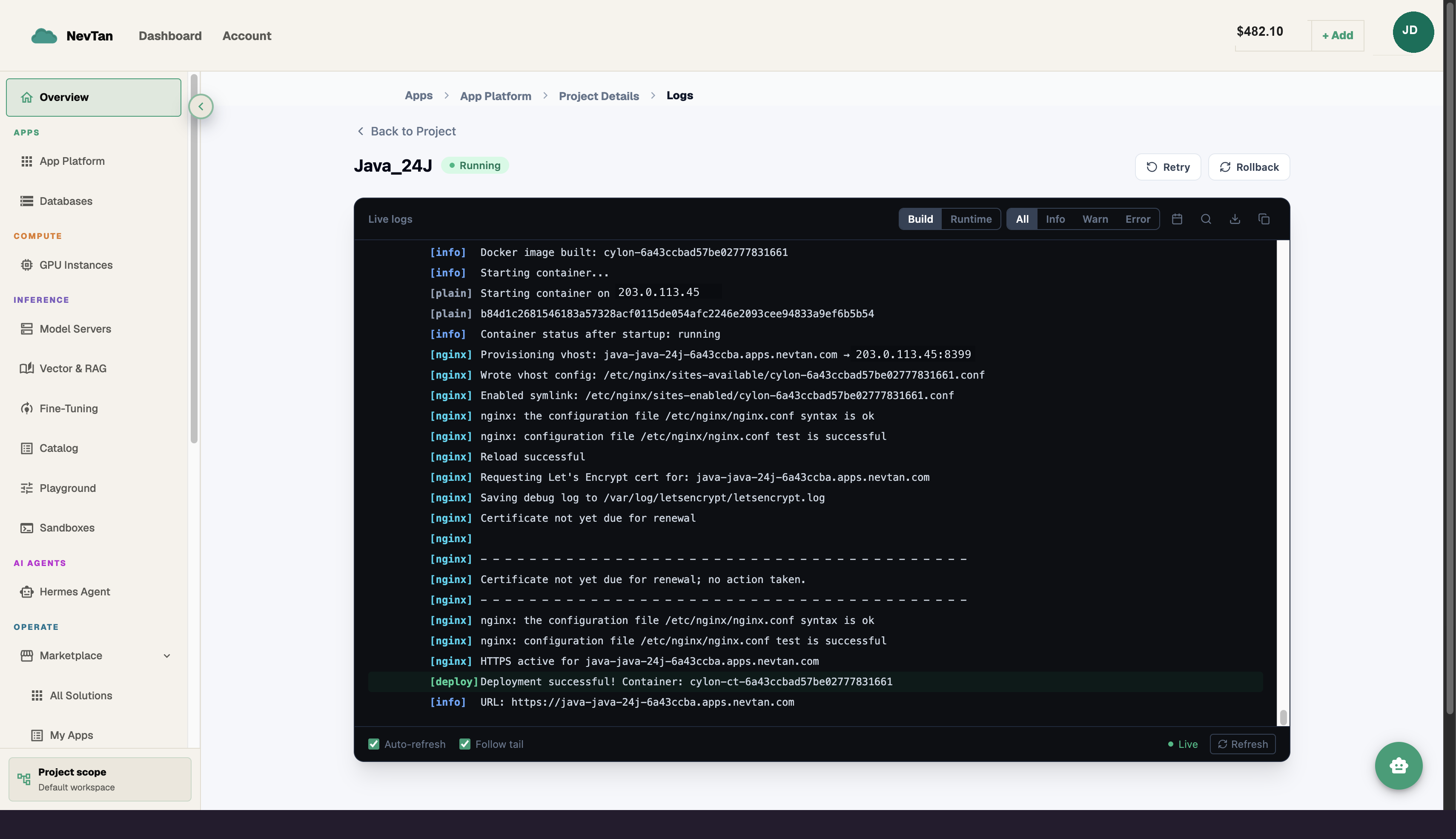
View logs
Open Logs for live output from the running service, or watch a deployment mid-rollout for build and boot logs.
Control the lifecycle
Stop pauses a project, Resume brings it back, and Cancel kills an in-flight deployment. Redeploy triggers a fresh rollout from the current config.
Rolling back
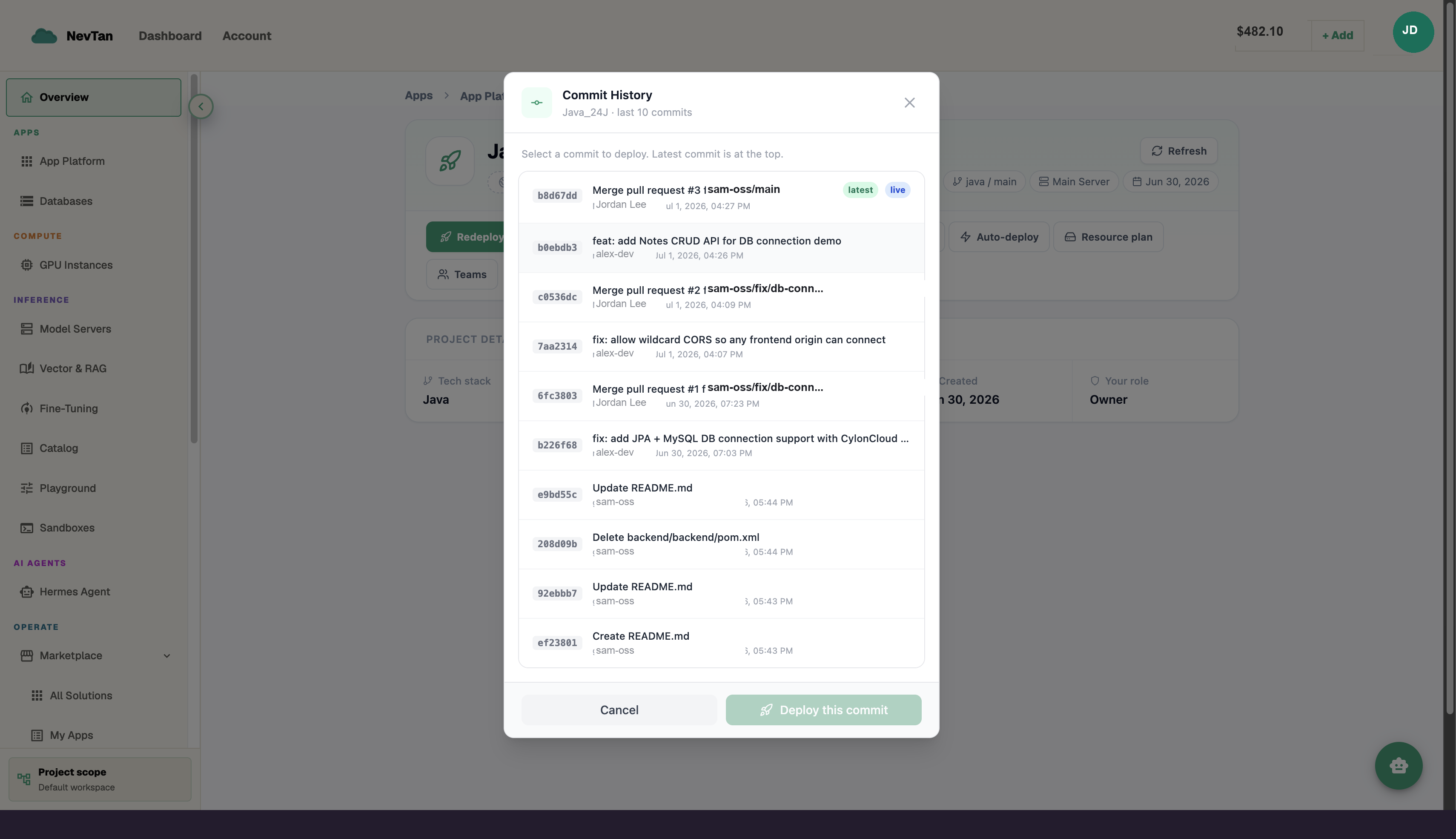
- 1Click RollbackOpens the Commit History dialog, showing your branch's last 10 commits from GitHub — each with its SHA, message, author, and date.
- 2Find the commit you wantA latest badge marks the newest commit; a live badge marks whichever commit is currently deployed. Selecting the live commit disables the deploy action — use Redeploy instead if you just want to rebuild what's already running.
- 3Confirm and deploySelecting any other commit shows a preview ("Will deploy commit
<sha>—<message>"), then click Deploy this commit. It runs through the same build/deploy pipeline as a normal push, zero-downtime, so the current version keeps serving until the rollback build is healthy.