
API Keys
Create, list, and revoke the NevTan API keys your code sends to the gateway — the credential behind `Authorization: Bearer nvt-live-...`.
A NevTan API key is the credential your application sends to the gateway. You authenticate every call with it — Authorization: Bearer nvt-live-... — and the gateway then uses your stored BYOK key to reach the upstream provider. Create and revoke keys on the API Keys screen.
Two different keys
Your NevTan API key (
nvt-live-...) is what your code sends to the gateway. Your provider (BYOK) key (like sk-ant-...) is stored once under Bring Your Own Key and used by the gateway on your behalf — your code never sends it.Create a key
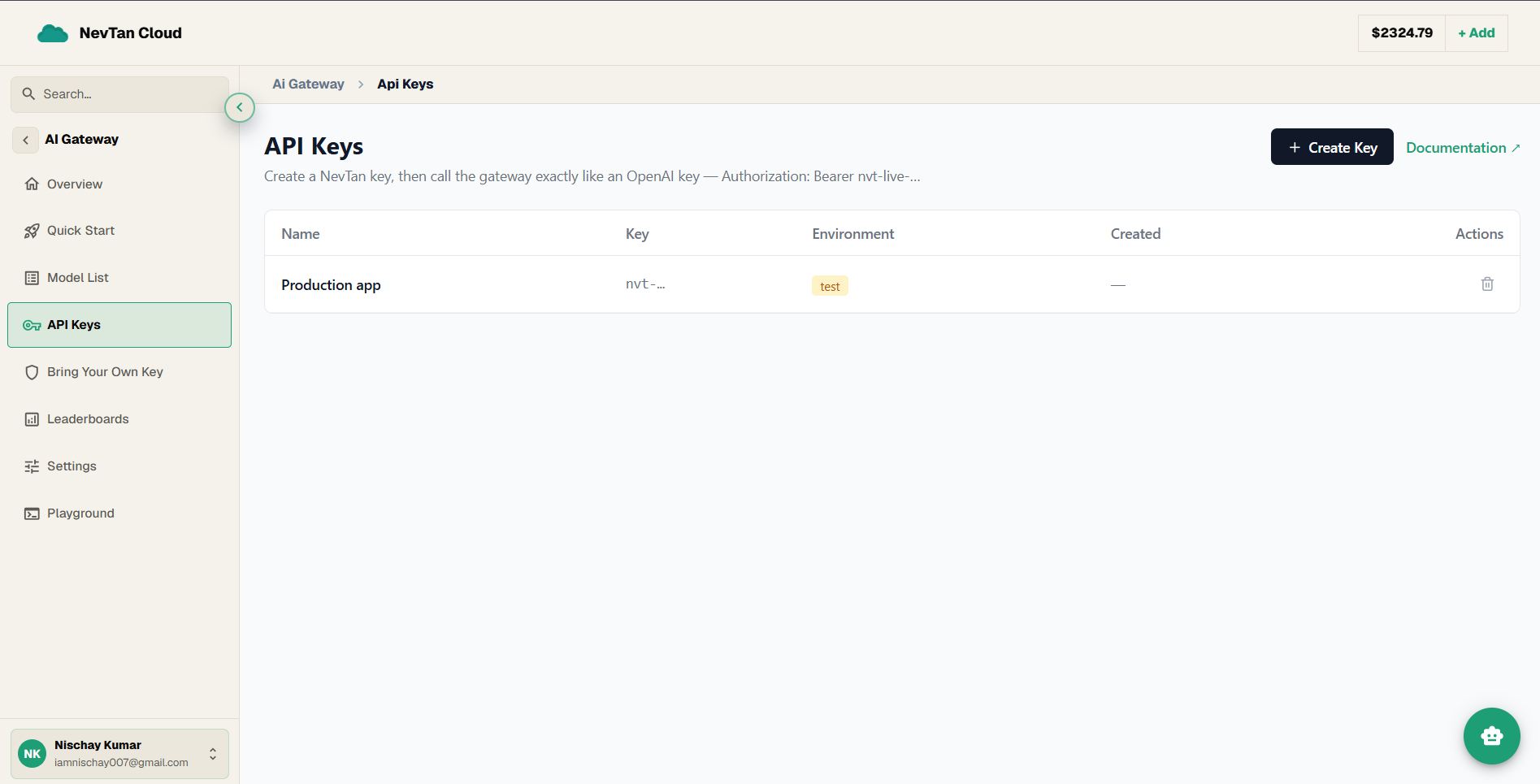
- 1Open API KeysIn the AI Gateway, open API Keys and click Create Key.
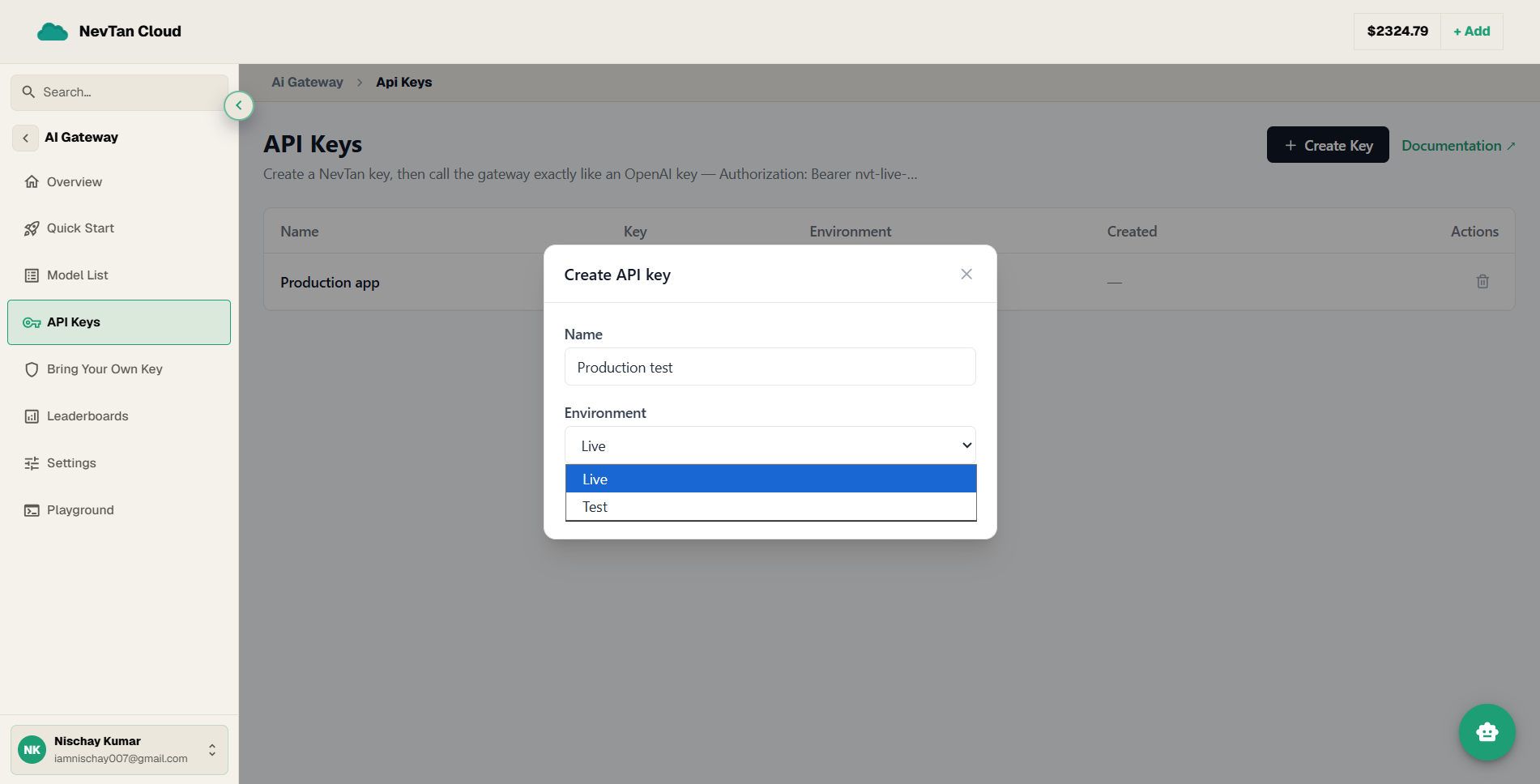
- 2Name itGive the key a descriptive name (e.g.
Production app) so you can tell your keys apart later. Left blank, it is namedGateway key. - 3Choose an environmentPick Live for real traffic, or Test for experiments and non-production use.
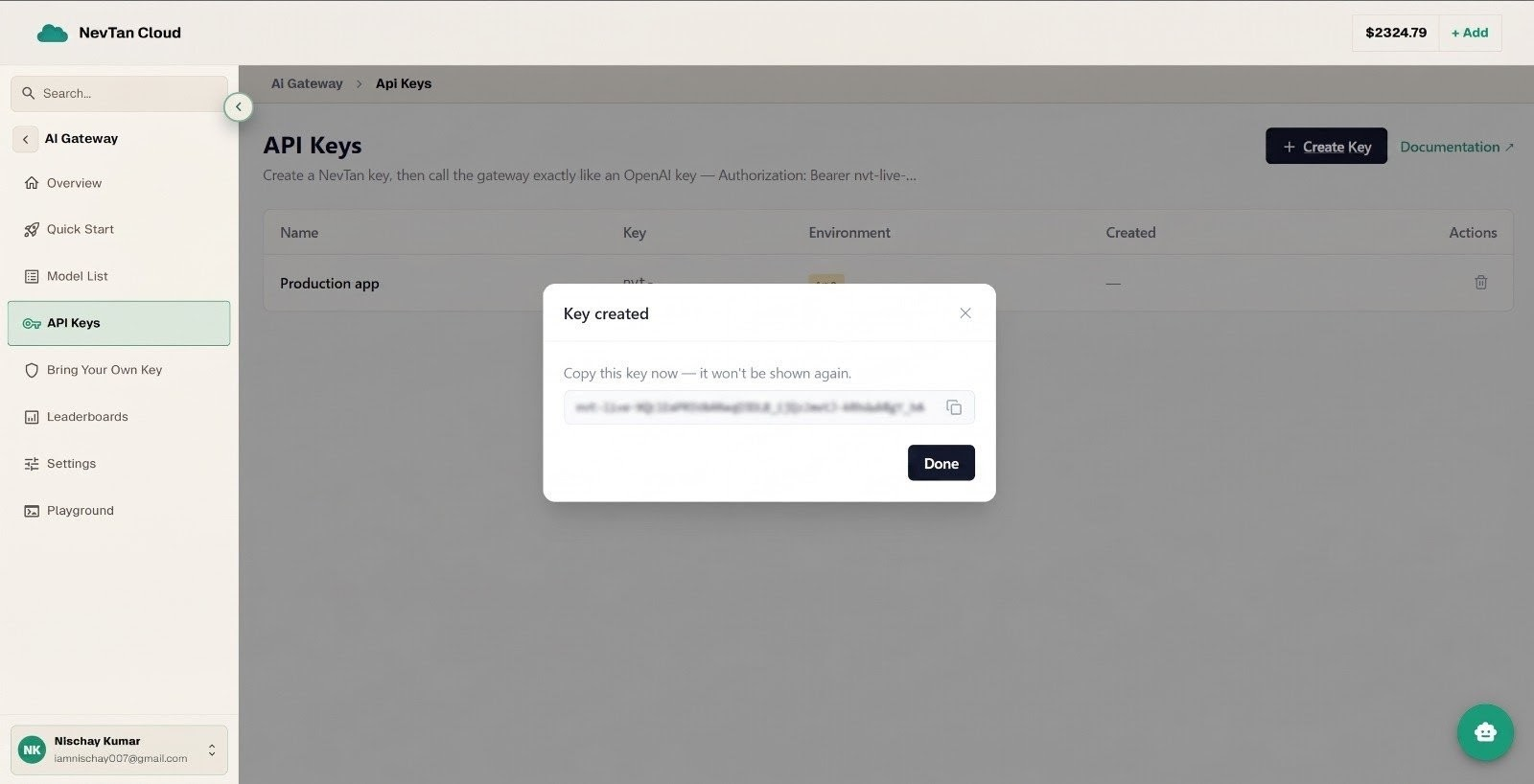
- 4Copy it nowThe full key is shown once, right after creation. Copy it somewhere safe before closing the dialog — it is never displayed again.
Create-key fields
| Parameter | Type | Description |
|---|---|---|
name | string | Display label for the key. Defaults to Gateway key if left blank. |
environment | string | live (default) or test. Test keys are for non-production use and are labelled Test in the list. |
Manage keys
Base: https://api.cloud.nevtan.com/api/v1GET
/api-keysList your keys (masked — only a preview like `nvt-live-…9f2c` is returned).POST
/api-keysCreate a key. The full value is returned once, in this response only.DELETE
/api-keys/{id}Revoke a key immediately. The key list
The API Keys table shows each key by name, a masked key preview, its environment (Live or Test), and when it was created. Use the revoke action on any row to disable that key at once.
Shown once
The full key value appears only at creation and is never shown again. If you lose it, revoke it and create a new one. Revoking takes effect immediately — there is no grace period, so put the replacement in place first for a planned rotation.
Tip
For rotation strategy, scoping, and what to do about a leaked credential, see API keys under Security.