
Developer Tools
Deploy self-hosted developer infrastructure in one click — Gitea, code-server, Adminer, and n8n.
The Developer Tools category is four self-hosted essentials — a Git service, a browser IDE, a database UI, and a workflow automation engine — each a single-click deploy.
Apps in this category
| App | Deploy type | What it is |
|---|---|---|
| Gitea | 1-Click Deploy | Lightweight self-hosted Git service |
| code-server | 1-Click Deploy | VS Code in the browser |
| Adminer | 1-Click Deploy | Full-featured database management in a single file |
| n8n | 1-Click Deploy | Extendable workflow automation tool |
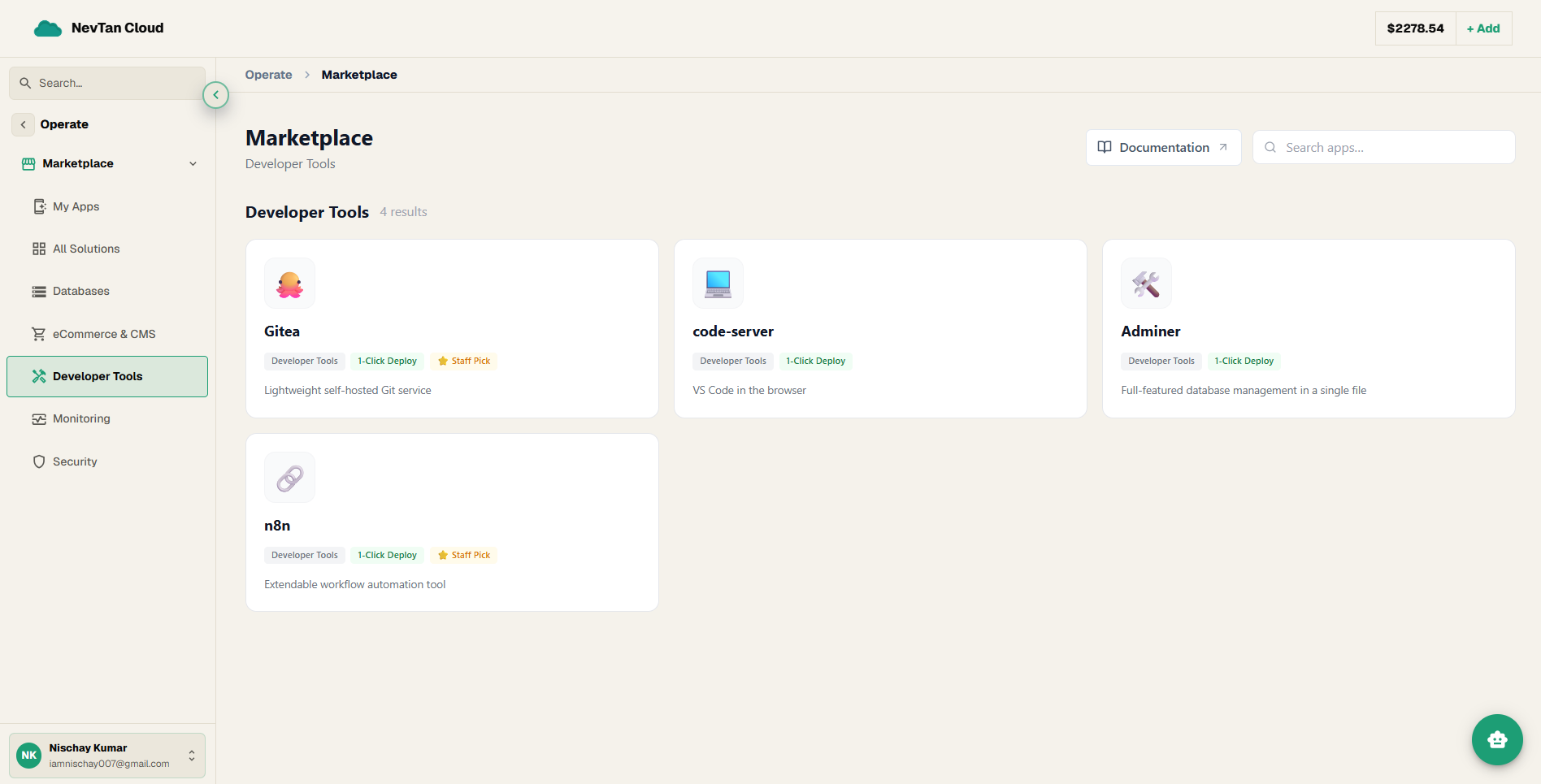
Every app in this category, explained
🐙 Gitea
Gitea is a lightweight, self-hosted Git service. Git is a system for tracking changes to code over time and letting multiple people collaborate on it; Gitea gives you your own private version of the kind of service GitHub or GitLab provide, running on your own infrastructure.
💻 code-server
code-server runs the full Visual Studio Code editor (a widely-used code editor) so you can access it from any web browser, instead of installing it on your own computer — useful for coding from a device where you can't or don't want to set up a local development environment.
🛠️ Adminer
Adminer is a single-file, web-based database admin tool — similar in purpose to phpMyAdmin, but built to work with several different database engines, not just MySQL/MariaDB.
🔗 n8n
n8n is a visual workflow automation tool — you connect different apps and APIs together on a drag-and-drop canvas ("when X happens, do Y") instead of writing custom glue code for every integration.
Deploying a tool, in short
All four apps here use the standard 1-Click form — a name, a region, and a size, with optional environment variables. For the complete, field-by-field walkthrough with screenshots, see Guide 2 on Deploying apps.