
Create a job
Pick a base model, method, dataset, and hyperparameters on the New Fine-Tuning Job screen, with a live cost estimate before you start.
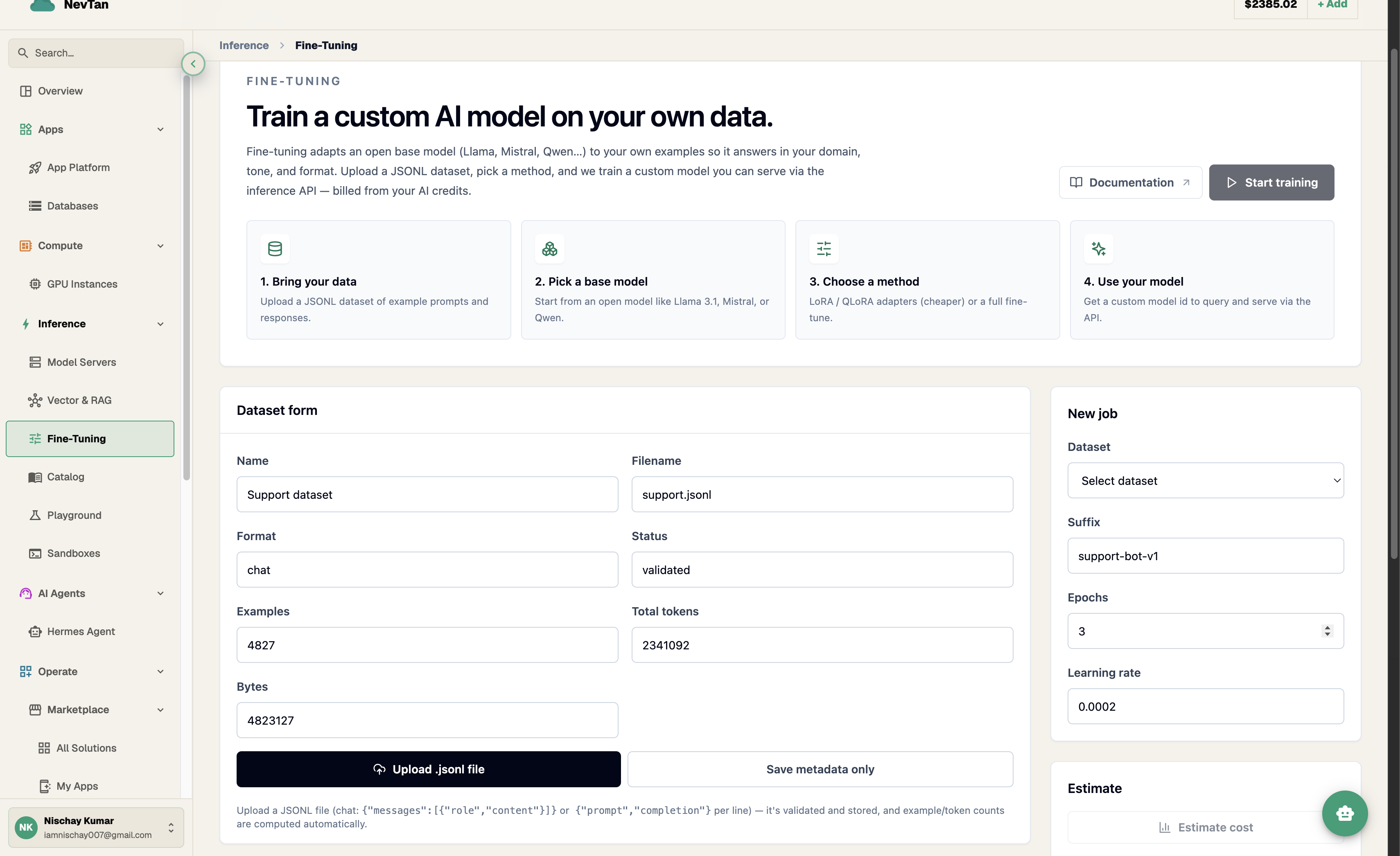
The New Fine-Tuning Job screen is where you configure and start a training run. Pick a base model, a method, and a dataset, tune the hyperparameters, and the console shows a live cost estimate as you go — before you commit to anything.
Pick a base model
The base model dropdown lists the open models available to fine-tune. Each job trains from one of these as its starting point.
| Base model | Notes |
|---|---|
llama-3.1-8b-instruct | Small, fast Llama — a good default for most style/format tasks. |
llama-3.3-70b-instruct | Larger Llama for higher quality when the task needs it. |
qwen-2.5-7b-instruct | Compact, strong multilingual base. |
mistral-small-3-instruct | Efficient Mistral base for general instruction tasks. |
gemma-2-9b-it | Google Gemma instruction-tuned base. |
Methods: LoRA vs. QLoRA vs. full
The method you pick trades off training memory, cost, and how much of the base model actually changes.
| Method | What it does | Memory / cost | Quality |
|---|---|---|---|
| LoRA | Freezes the base model and trains a small low-rank adapter on top of it. | Low — a fraction of the GPU memory a full fine-tune needs. | Strong for most tasks; adapts style, format, and tone well. |
| QLoRA | Same idea as LoRA, but the frozen base is quantized to 4-bit first. | Lowest — lets you fine-tune larger base models on smaller GPUs. | Close to LoRA quality with a small tradeoff from quantization. |
| Full | Updates every weight in the model, not just an adapter. | Highest — needs the most GPU memory and the longest training time. | Best ceiling when you have enough data and budget to use it. |
- Start with LoRA for most tasks — it is fast, cheap, and produces a small output model.
- Reach for QLoRA if you want to fine-tune a larger base model than your GPU budget would otherwise allow.
- Reserve Full for cases where LoRA/QLoRA quality plateaus and you have a large, high-quality dataset to justify the extra cost.
Choosing hyperparameters
The hyperparameters section of the form accepts training knobs like epochs, learning rate, and batch size. A few starting points:
- Epochs — how many times training passes over the full dataset. Small datasets often need more epochs (3–5); large datasets need fewer to avoid overfitting.
- Learning rate — how large a step each update takes. LoRA/QLoRA typically tolerate a higher learning rate than a full fine-tune, since only a small adapter is being trained.
- Batch size — how many examples are processed per training step. Larger batches train faster but need more GPU memory; lower it if a job fails to fit on the selected hardware.
Troubleshooting a job configuration
A couple of problems come up often enough while tuning these fields that it's worth knowing the fix before you hit them:
| Symptom | Likely cause | Try this |
|---|---|---|
| Job fails immediately, or fails during the first training step | The batch size (or the base model + method combination) doesn't fit in GPU memory | Lower the batch size and restart the job. QLoRA also frees up memory versus LoRA on the same base model if lowering batch size alone isn't enough. |
| Job completes, but the deployed model barely changed behavior — it still looks like the base model (underfitting) | Too few epochs, a learning rate that's too low, or too little data for the method chosen | Increase epochs first — it's the cheapest knob to raise — then consider a higher learning rate or adding more examples to the dataset. |
| Job completes, but the model overreacts — it repeats training examples verbatim or breaks on inputs slightly different from training data (overfitting) | Too many epochs relative to a small dataset | Reduce epochs, or add more varied examples to the dataset so the same number of epochs sees more diversity. |
New Fine-Tuning Job form fields
| Parameter | Type | Description |
|---|---|---|
Base modelrequired | dropdown | The starting model this job trains from. |
Methodrequired | dropdown | LoRA, QLoRA, or Full. |
Datasetrequired | dropdown | One of your saved datasets. |
Suffix | text | A short label appended to the output model id, so you can tell your fine-tunes apart. |
Epochs | number | How many passes training makes over the dataset. |
Learning rate | number | Step size for each training update. |
Batch size | number | How many examples are processed per step. |
Review the estimate, then start
As you fill in the form, the console shows a running cost estimate based on your dataset size, method, and hyperparameters. Check it against your credit balance, then click Start to launch the job — see Pricing for how that number is calculated.