
Models
Browse the model catalog in the console — modality, context length, status, and pricing for every model.
The model catalog is the set of hosted, open-weight models NevTan runs for you — chat, embeddings, and audio — along with what each one costs. You call them through the OpenAI-compatible inference API with a single API key.
Browsing the catalog
Open the catalog from the Playground to search by name or filter by modality (chat, embeddings, image, audio). Each entry shows the information you need to pick a model without leaving the list.
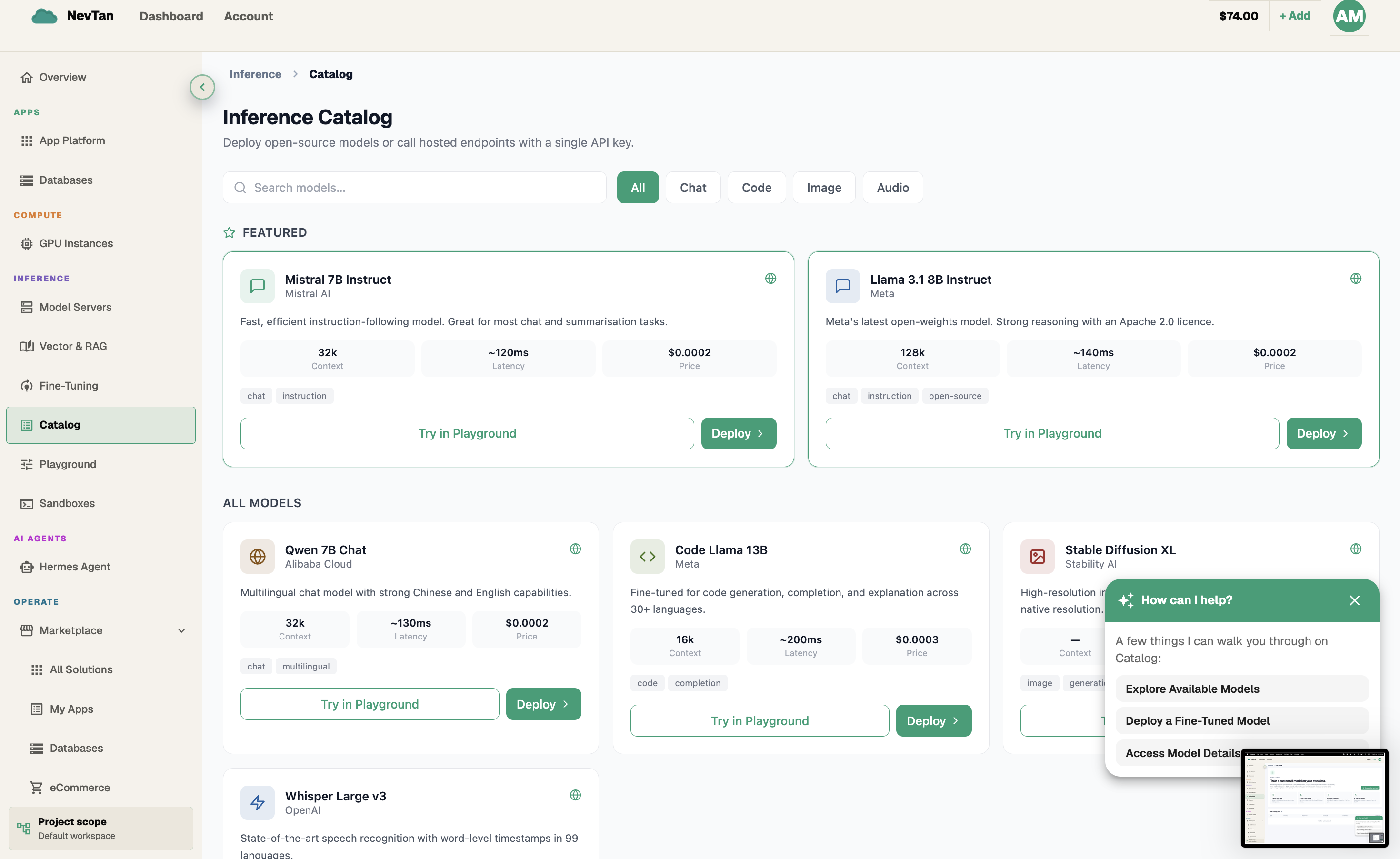
| Column | What it shows |
|---|---|
| Modality | Whether the model handles chat/text, embeddings, image generation, or audio. |
| Context length | How much input a chat or text model can take in at once. |
| Status | Whether the model is currently available to use, or temporarily starting up. |
| Pricing | The per-token or per-unit rate — see Pricing for the full table. |
Model catalog
| Model | Class |
|---|---|
meta-llama/Meta-Llama-3-8B-Instruct | Chat · fast |
meta-llama/Meta-Llama-3-70B-Instruct | Chat · capable |
mistralai/Mistral-7B-Instruct-v0.2 | Chat · fast |
mistralai/Mixtral-8x7B-Instruct-v0.1 | Chat · capable |
Qwen/Qwen2.5-72B-Instruct | Chat · capable |
deepseek-ai/DeepSeek-R1-Distill-Qwen-7B | Chat · reasoning |
BAAI/bge-m3 | Embeddings |
openai/whisper-large-v3 | Audio transcription |
provider/model id. The console Playground is a separate chat tester that talks to models you deploy — a Model Server or a fine-tuned model — not the hosted catalog above.Status
Every model in the catalog shows a status of Available or Starting. Most models are available immediately; a model can briefly show as starting right after it's added to the catalog or when demand causes it to scale up additional capacity. Once a model shows Available, it's ready to use from any Playground mode.
What to look for when picking a model
- Modality first — narrow the catalog to the kind of work you're doing (chat/text, embeddings, image, audio) before comparing anything else.
- Context length for chat and text models — a longer context length matters when you're pasting in a large document, a long conversation history, or several examples in one prompt. For short prompts, a shorter context length model works just as well and is often the cheaper choice.
- Class within a modality — a frontier chat model gives the strongest general-purpose replies; a reasoning model is worth trying when a task involves multiple steps of logic; a fast-and-cheap chat model is usually the better fit for high-volume or latency-sensitive use.
- Status before you build around it — a model showing Starting will become Available shortly, but if you need something usable right now, pick an Available model instead and revisit the other one later.
- Try before you decide — the catalog tells you what a model is; the Playground tells you how it actually performs on your prompt. Use the catalog to shortlist a couple of candidates, then try both in the Playground.