
Templates
Pick a sandbox starting point from the console's template gallery, or add your own from a Dockerfile.
A template is the starting point a sandbox boots from. The console's template gallery has ready-made options like Python and Node, and you can add your own.
Browse the gallery
Open the Templates page to see every template available to you — built-in ones ready to use immediately, and any custom templates you've added. The built-in templates are based on Alpine and cover the common runtimes:
| Template | Good for |
|---|---|
| Python Base | Generic Python execution. |
| Python Data Science | Data analysis and data-processing agents. |
| Python Web | Web scraping and API agents. |
| Node.js | Node code execution. |
| Bash | Shell automation. |
| LaTeX | Document generation. |
| AI Agent | An LLM agent runtime. |
| Browser | Browser automation (see Browser sandboxes). |
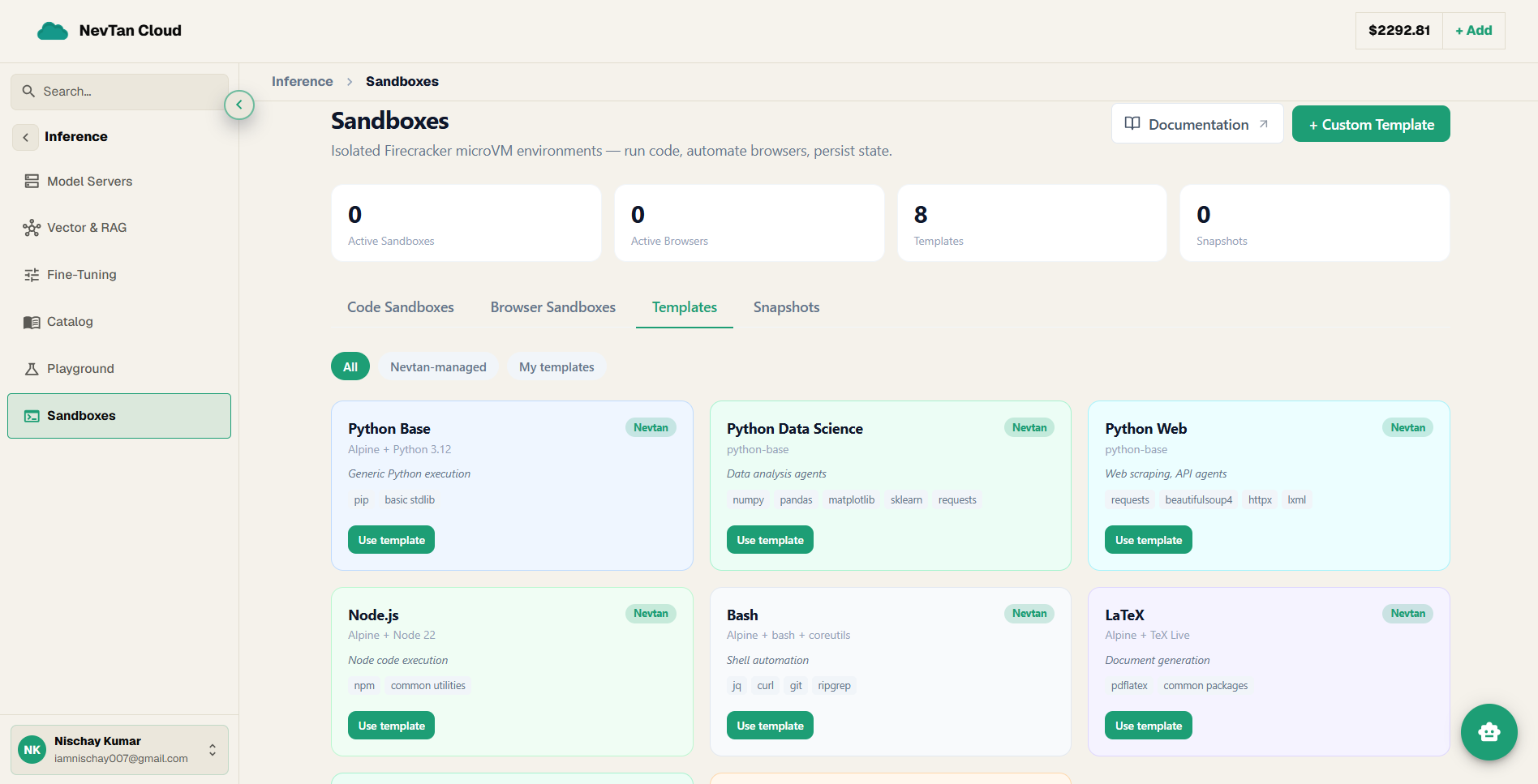
Add a custom template
Click New Template, give it a name, and paste in a Dockerfile describing the environment you want. NevTan builds it into an image and adds it to your gallery — the same idea as the Dockerfile behind an App Platform project, but this one is used to start sandboxes instead of running a live service.
| Field | Description |
|---|---|
| Name | A label you'll recognize when picking this template on the create-a-sandbox form. |
| Dockerfile | The environment definition — base image, installed packages, anything the sandbox should start with. |
Use a template
Once a template appears in the gallery, select it on the create-a-sandbox form to start a new sandbox from it.
Template or snapshot?
A template is for repeating a setup, not a specific session: define the base environment once (a Dockerfile with the right runtime and libraries) and every sandbox you start from it boots clean, with no files or history carried over. If instead you want to continue a particular sandbox's actual work — the files and progress it had at some point — that's what a snapshot is for.