
Billing overview
A platform plan for the account plus a prepaid credit wallet that pays for everything usage-based — inference, GPUs, fine-tuning, databases, and agents.
NevTan Cloud bills in two parts: a platform plan (a monthly subscription that sets your limits, retention, and support tier) and a prepaid credit wallet that pays for usage-based products — token inference, GPU-hours, fine-tuning, databases, and agents.
Two models, one account
Think of the plan as the seat you rent and the wallet as the fuel tank you fill. The plan is a flat, predictable monthly charge — it doesn’t move with how much you build or run. The wallet is the opposite: it only drains when you actually consume a usage-based product, at that product’s published rate (per-token, per-GPU-hour, per-month for databases, and so on). Most accounts run both at once — a plan for the account-wide baseline, and a wallet balance that rises and falls with real usage.
- Platform plans are subscriptions — Hobby, Pro, or Scale — upgraded with a button in the console that opens Stripe checkout. See Plans.
- credits are prepaid balance in your wallet. You top up from the console once, then usage-based products draw down from the balance. See credits.
- Invoices, transactions, and deployment bills give you a unified audit trail of every charge, top-up, and refund. See Invoices & transactions.
What’s billed where
| Charged to your plan | Deducted from the credit wallet |
|---|---|
| Monthly subscription price (Hobby / Pro / Scale) | Inference — chat, text, embeddings, image, and audio tokens |
| App Platform compute tier (if not on auto-pay) | GPU instances and fine-tuning jobs, by GPU-hour |
| Seats, SLA, and support tier | Managed databases, by month |
| Plan-level limits (apps, databases, log retention) | AI agent runtime, per the agent’s plan |
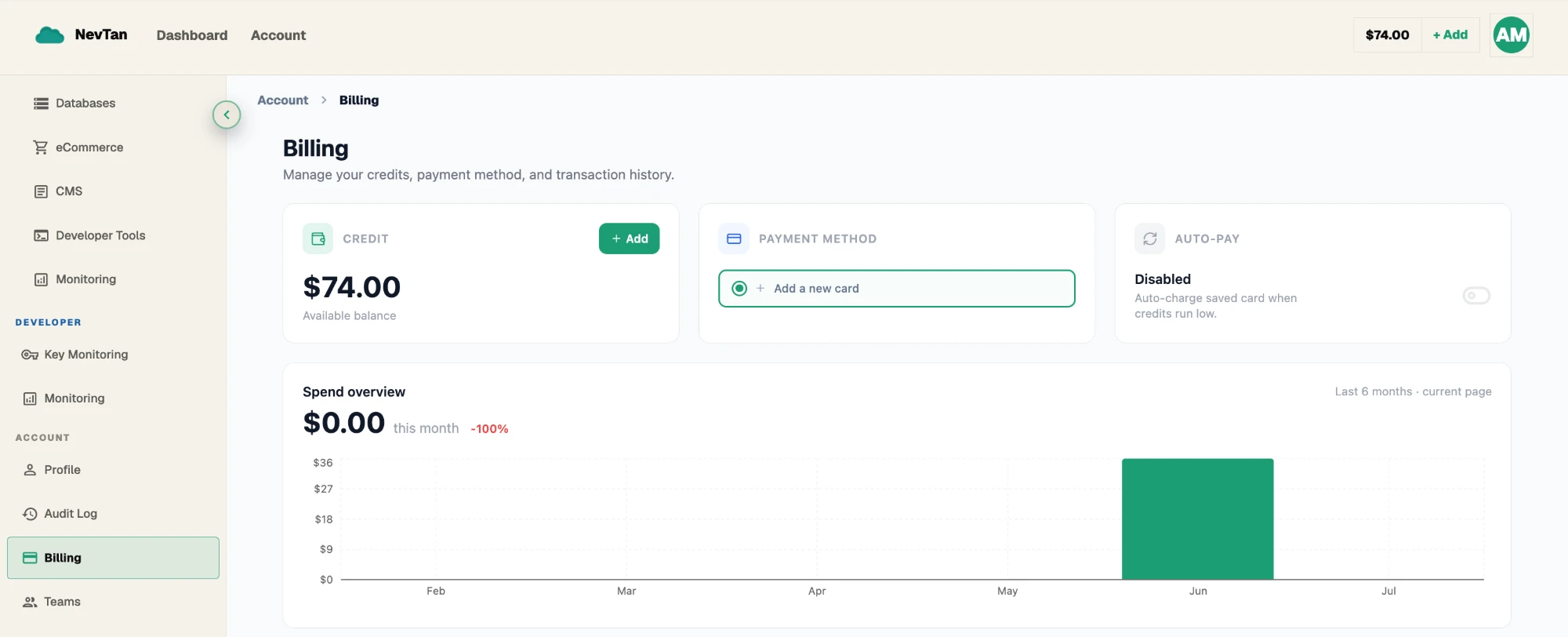
Open Account → Billing for the single screen that shows your current plan, its tier, and your live credit balance — the starting point for everything else on this page.
Saved card & auto-pay
Add a card once from Account → Billing and NevTan keeps it on file for future charges. With a card on file you can enable auto-pay so plan renewals and deployment bills are charged automatically instead of drawing down credits.
- 1Add a cardFrom Account → Billing, click Add card. This opens Stripe’s own hosted card form — enter your card details there, and NevTan only stores the result once Stripe confirms it.
- 2Confirm it's savedOnce confirmed, the card shows on your Billing page as your saved payment method. You can remove it at any time.
- 3Toggle auto-paySwitch account-level auto-pay on or off. When on, plan renewals and deployment bills charge the saved card automatically.
A worked example
Consider a two-person team on the Pro plan ($25/user/mo). That plan charge is fixed — it covers their unlimited apps and databases, 90-day log retention, and support, and it renews on a card once a month no matter how much they build or run. Separately, their app makes chat completion calls and they kick off a fine-tuning job on a GPU instance. Both of those draw from the shared credit wallet at the published per-token and per-GPU-hour rates, deducted the moment usage is metered — not once a month, but continuously as it happens. If the wallet runs low mid-month, the plan itself is unaffected: existing apps and databases keep running under the Pro plan's limits. What changes is that any new usage-based action needs balance in the wallet (or auto-pay) to go through — see what happens at zero balance.