
Custom domains
Attach your own domain to a project, verify DNS, and remove it — or use the default subdomain.
Every project is reachable at a default *.nevtan.app subdomain the moment it deploys. To serve it on your own domain, attach the domain, point DNS at it with an A record, and NevTan checks and issues a certificate automatically.
The default subdomain
Open the Domain tab on a project to see its assigned default subdomain and the status of any custom domain.
Add a custom domain
- 1Open Custom Domain and type your domainEnter your domain (e.g.
app.yourdomain.com) in the Custom Domain modal.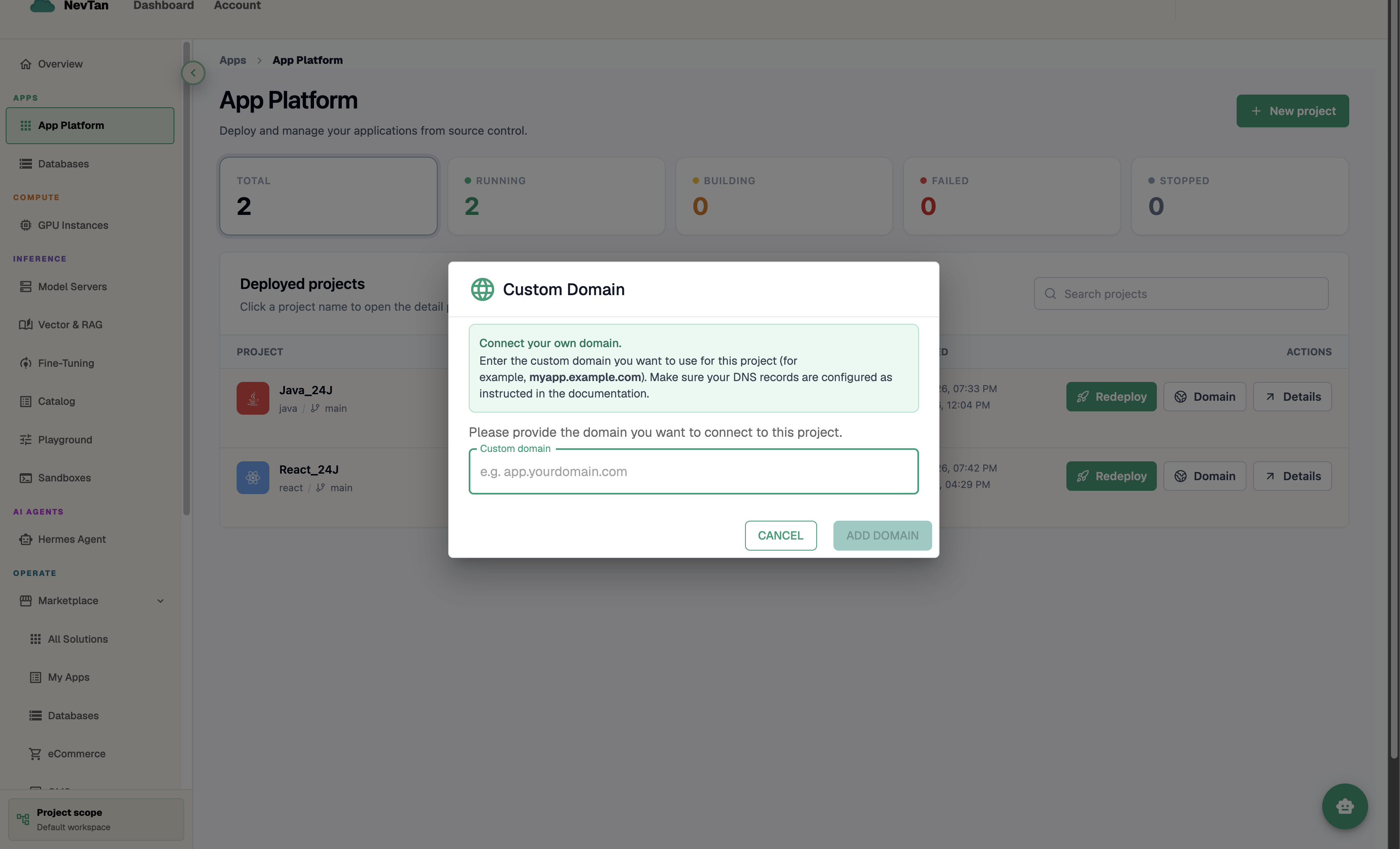
Enter your domain — the console tells you exactly what DNS record to create. - 2Create the A record(s) it shows youOnce you type a valid domain, an amber box appears with the exact A record(s) to add — an apex domain (e.g.
yourdomain.com) gets both a@and awwwrow, a subdomain gets one row. Each row has a copy icon for the value. - 3Check the confirmation box and click Add DomainCheck "I've added the A record(s) above pointing to [IP]", which enables the Add Domain button. There's no separate Verify step — NevTan checks DNS and issues a TLS certificate automatically once the record resolves.
Remove a custom domain
Once mapped, the modal shows a green "Domain mapped" panel. Click Delete domain, confirm once, then type the exact domain to confirm again — this two-step confirmation is deliberate since removing it immediately falls back to the default subdomain.
Tip
DNS propagation can take anywhere from a few minutes to a few hours. If the domain doesn't map right after creating the A record, wait and check again rather than re-attaching the domain.