
Overview
A catalog of hosted chat, embedding, image, and audio models you can try instantly in the Playground — no code required.
AI Inference is a catalog of hosted models — chat, embeddings, image generation, and audio transcription — that you use straight from the console's Playground. Pick a model, give it an input, and see the result on screen.
Why it's useful
Instead of juggling separate tools for chat, search embeddings, image generation, and transcription, the Playground gives you one place to try any of them against the same model catalog. Explore what a model can do, sanity-check a prompt, or generate a one-off result — all without leaving the dashboard.
- Compare models side by side — run the same prompt against a frontier model and a fast-and-cheap model to see how much quality you actually give up, before you pick one for a project.
- Sanity-check a prompt idea — try a system prompt or instruction on a handful of inputs in the Playground before it becomes part of something you rely on regularly.
- Understand cost before committing — every Playground result shows the tokens or units it used, so you can see roughly what a real workload would cost before you build around a model.
Quickstart
- 1Open the PlaygroundFrom the dashboard sidebar, open Playground under Inference.
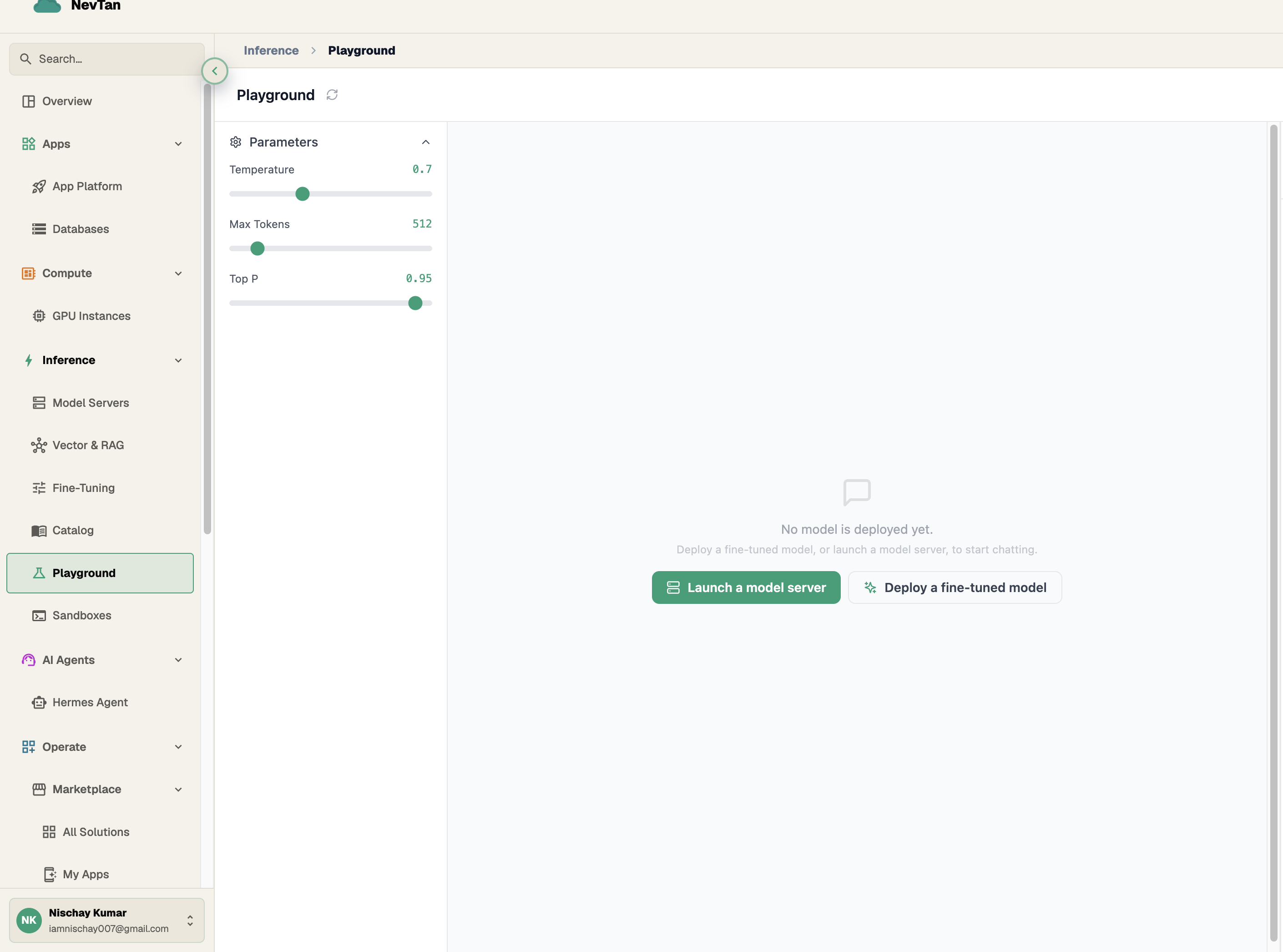
Parameters on the left, results in the middle — deploy a model to start chatting. - 2Pick a modelChoose a model from the catalog — chat, embeddings, image, or audio models are all available.
- 3Try itType a prompt, upload a file, or enter text, then send it and see the result appear in the console.
Comparing models before you decide
Switching the Model field is the fastest way to learn the difference between two models — run the same prompt through a frontier model, then again through a fast-and-cheap model, and compare the replies and the token cost side by side. There's no need to guess which model fits a project; the Playground lets you find out first.
Explore
Have a multi-turn conversation or generate a quick text continuation, right in the Playground.
A simpler, single-shot prompt mode for quick text generation.
Turn text into vectors for search and RAG, and preview the output vector.
Generate images from a text prompt and browse the results as a grid.
Upload an audio file and get back a text transcript.
Browse the model catalog — modality, context length, and status.
Per-token and per-unit rates for every model.