
Chat
Have a multi-turn conversation with a chat model directly in the Playground.
Chat mode in the Playground is the primary way to try a chat model — type a message, get a reply, and keep the conversation going, with the full back-and-forth visible on screen.
How it works
Pick a chat model from the catalog, and the Playground gives you a conversation view: your messages on one side, the model's replies on the other. Replies stream in as they're generated, so you see the answer take shape instead of waiting for the whole thing at once.
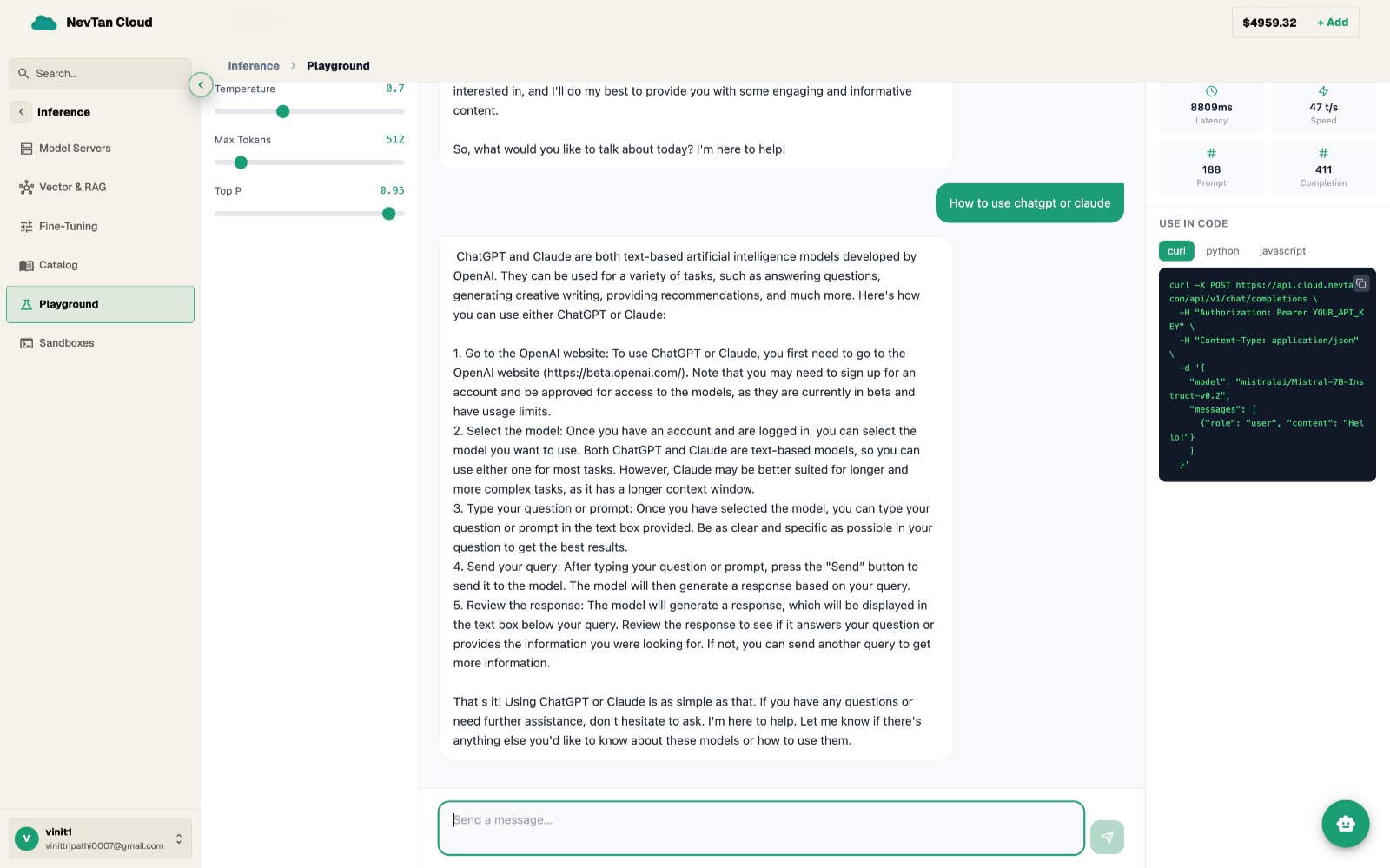
Playground fields
| Parameter | Type | Description |
|---|---|---|
Modelrequired | select | Chat model from the catalog, e.g. a frontier or fast-and-cheap chat model. |
System prompt | text | Optional instructions that set the assistant's behavior for the whole conversation. |
Messagerequired | text | What you want to say to the model — sent when you press send. |
Temperature | slider | How random the reply is. Lower is more predictable and repeatable, higher is more varied. |
Max length | number | Caps how long a single reply is allowed to be. |
When to adjust each field
- Lower the temperature for anything that needs a consistent, repeatable answer across runs — summarizing a document the same way twice, or extracting structured information. A low temperature keeps the model close to its most likely answer.
- Raise the temperature when you want variety — brainstorming names, generating several different drafts of the same idea, or writing something that shouldn't read the same way every time.
- Raise max length when replies are getting cut off mid-thought — long explanations, multi-step instructions, or code. Lower it to keep replies short and force a more concise answer, and to avoid paying for output you'll trim yourself.
- Use the system prompt to fix a persona, tone, or constraint for the whole conversation, so you're not repeating "answer briefly" or "respond only in JSON" in every message.
What you see back
The Playground shows the full chat transcript — your messages and the model's replies in order — so you can scroll back through the conversation, copy a reply, or start over with a fresh chat.
Comparing two models on the same conversation
Start the same conversation with one model, note how it handles your system prompt and a couple of follow-up messages, then start a fresh chat with a different model from the catalog and repeat the exact same messages. This is the quickest way to judge whether a cheaper or faster model holds up for your use case before you settle on one for a recurring task.