
Invitations
Invite people by email from the Invite modal, and manage pending invitations.
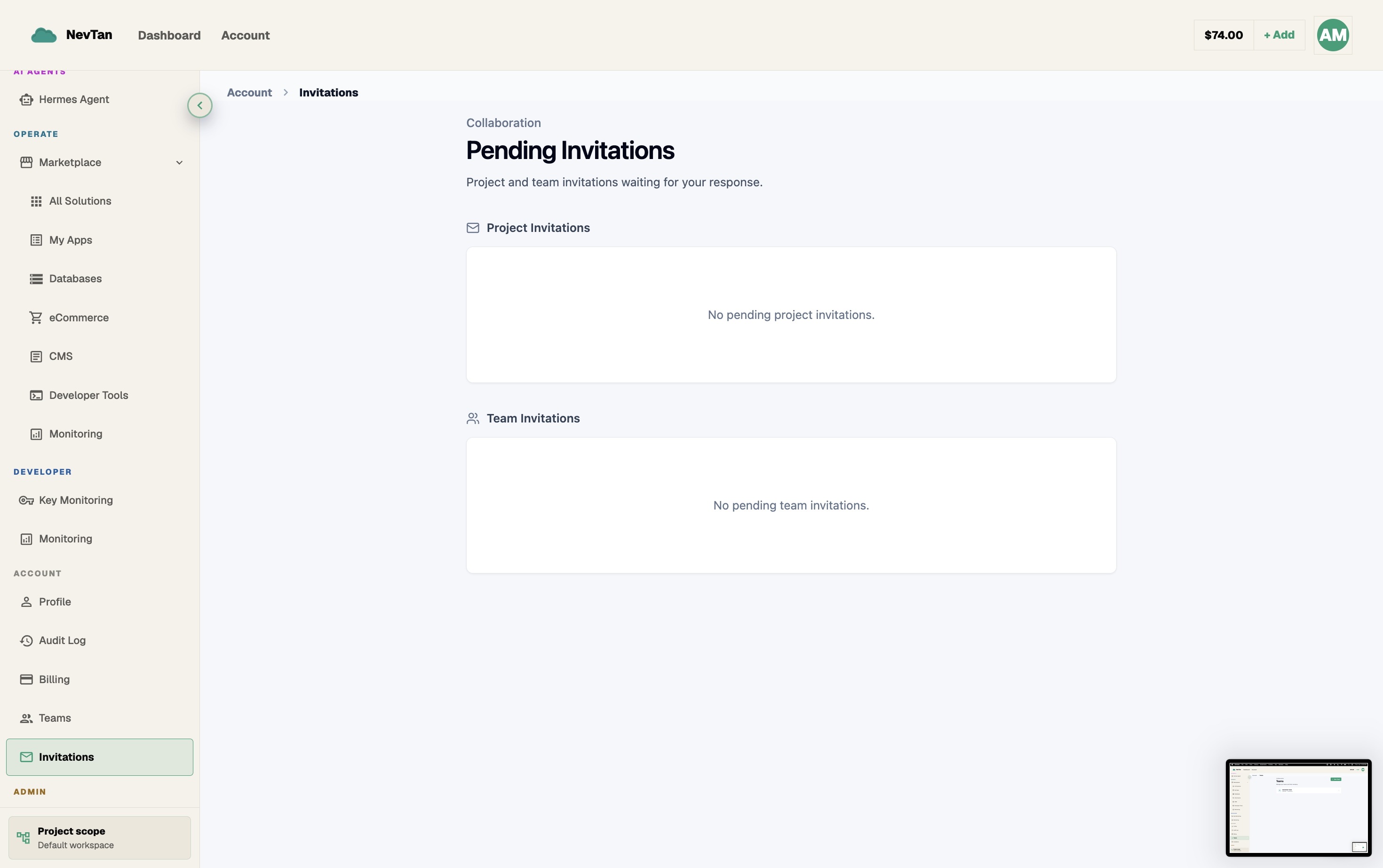
You add people to a team by inviting them by email from the console. Each invite shows up in the recipient's Pending Invitations list until they accept it.
Send an invitation
Only the team owner can send invitations. Open the team and click Invite to bring up the Invite modal.
- 1Click InviteFrom the team page, open the Invite modal.
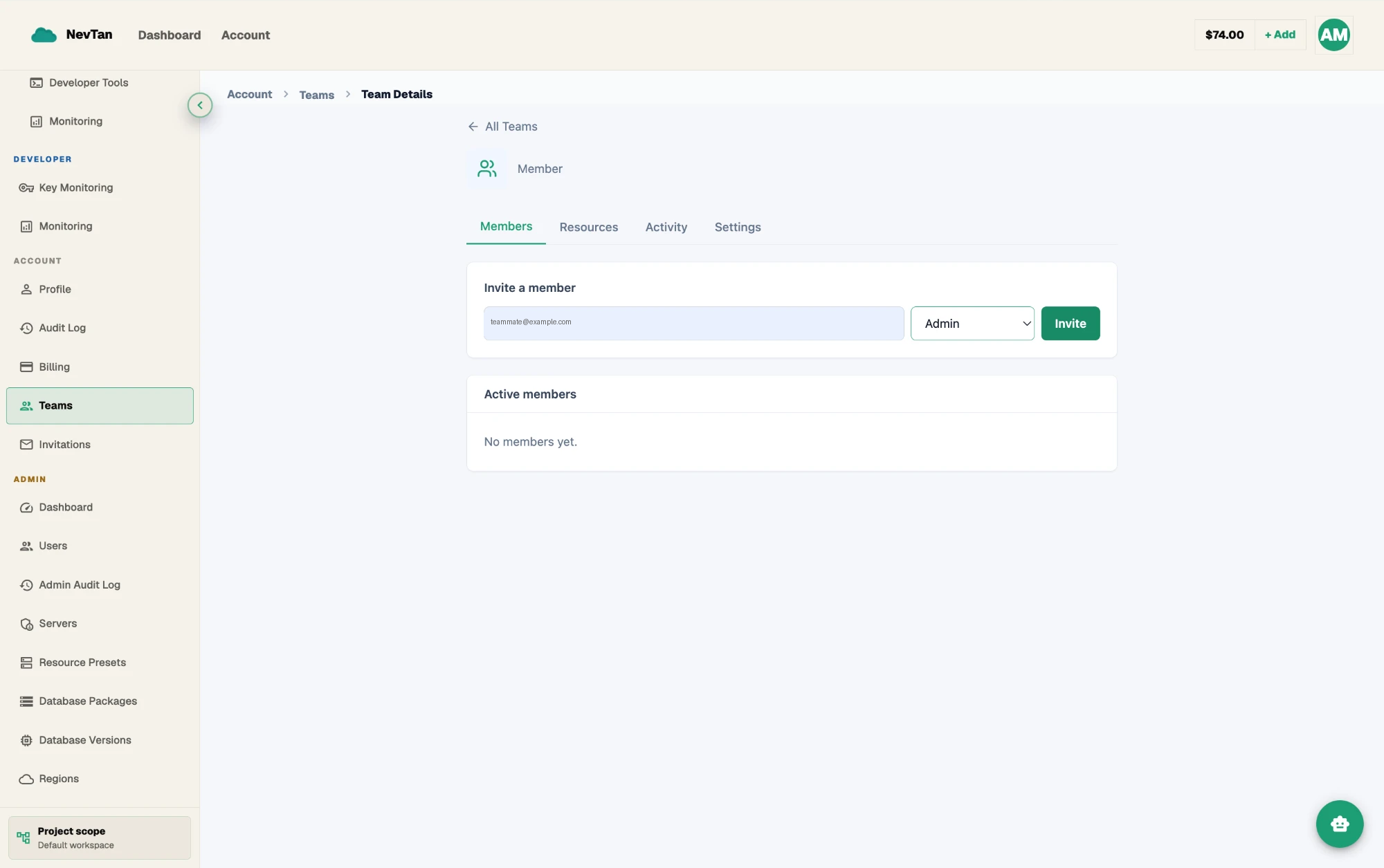
Email, role, and Invite — the whole flow is one small form. - 2Enter an emailType the email address of the person you want to bring in.
- 3Pick a roleChoose the role they'll receive on acceptance —
admin,member, orviewer— from the role dropdown. - 4Send the inviteThe invitee gets a notification and sees the invite in their own Pending Invitations list.
| Parameter | Type | Description |
|---|---|---|
Email fieldrequired | text | Email address of the person to invite. |
Role dropdownrequired | select | Role to grant on acceptance: admin, member, or viewer. |
What the invitee sees
The invited email gets a notification and, once they're signed in, the invite appears in their own Pending Invitations list with the team's name and the role they've been offered. Nothing about the team is visible to them beyond that until they accept.
Accept an invitation
The invitee opens their Pending Invitations list from their own account and clicks Accept to join the team, or Decline to dismiss it.
If the invitee ignores it
An invitation that's neither accepted nor declined just stays in Pending Invitations on both sides — the inviter's team page still lists it as pending, and the invitee still sees it waiting whenever they check. It doesn't grant any access and doesn't block anything else in the meantime; the only way to stop it from sitting there is for the inviter to revoke it or the invitee to decline it.
Revoke a pending invitation
If you sent an invite by mistake or no longer want that person to join, open the team's Pending Invitations list and revoke it — the invitee can no longer accept it, and it disappears from their Pending Invitations list too.
Decline vs. revoke
- Decline — the invitee turns it down from their own Pending Invitations list. They never join, and the inviter can send a new invite later if things change.
- Revoke — the inviter withdraws it from the team's Pending Invitations list before it's accepted. Same end state for the invitee: no membership, no lingering access.