
Overview
One OpenAI-compatible endpoint over hundreds of hosted models plus your own GPU model servers — add your provider key and start instantly, no cold start.
The AI Gateway is a single, OpenAI-compatible API in front of hosted model providers. Bring your own OpenAI / Anthropic / Gemini key, and the gateway forwards your requests to that provider — instantly, with no GPU to provision. It is a separate feature from your GPU Model Servers, which keep their own pages.
Everything lives under https://api.cloud.nevtan.com/api/v1/gateway and authenticates with a NevTan API key: Authorization: Bearer nvt-live-.... Create keys under API Keys.
Why a gateway
- Instant — a hosted model is a config record, not a server. No weights to download, no vLLM to boot.
- One wire format — callers always speak OpenAI Chat Completions; the gateway translates Anthropic for you.
- Switch models by string — change
modelfromopenai/gpt-4otoanthropic/claude-sonnet-5and nothing else. - Separate from your GPUs — the gateway routes only to hosted providers; your GPU model servers remain their own feature.
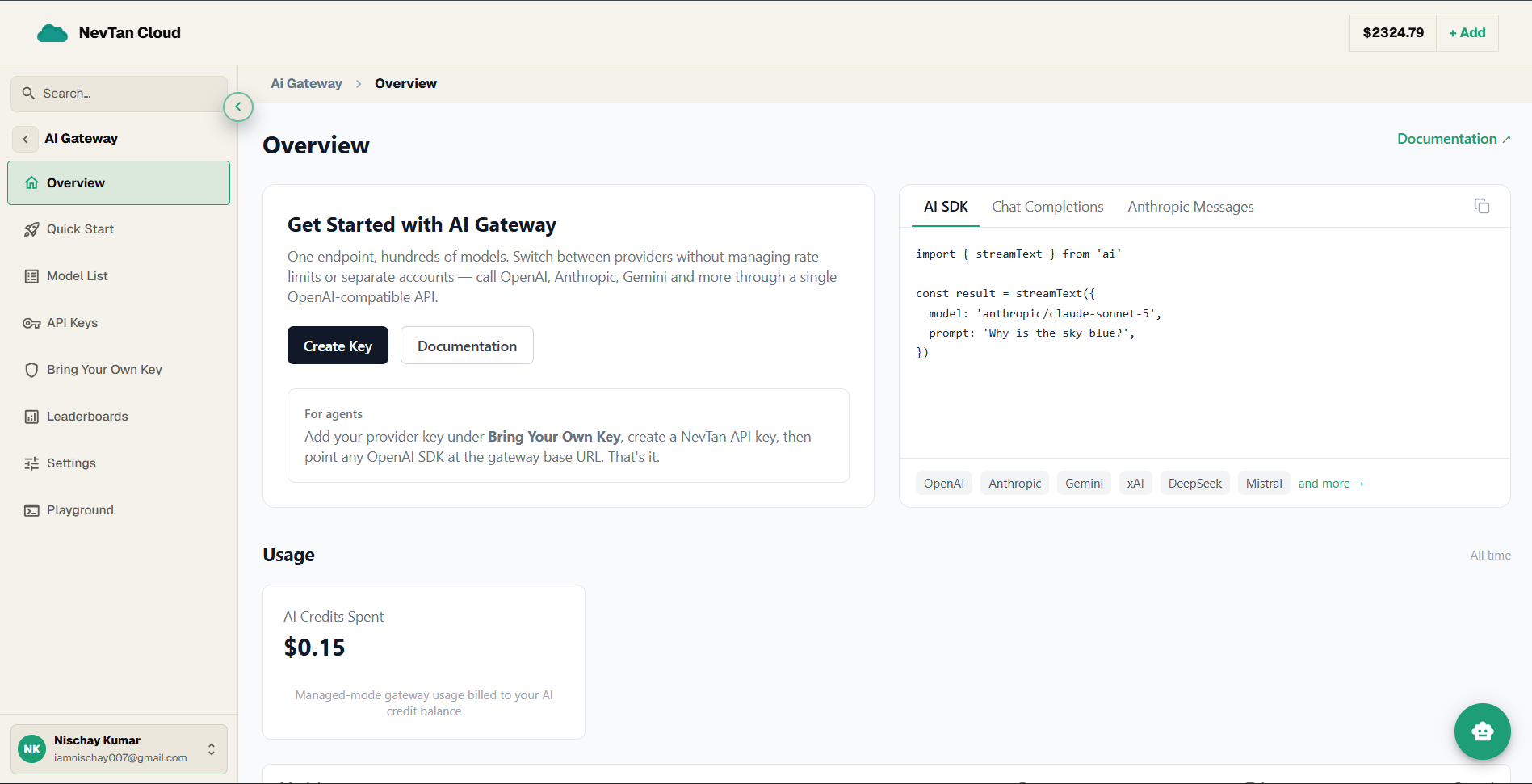
Get started from the console
The AI Gateway Overview is your starting point. It has a Create Key button, ready-to-copy code snippets (with AI SDK, Chat Completions, and Anthropic Messages tabs), the providers you can reach, and your usage at a glance.
- 1Open the AI GatewayFrom the console sidebar, open AI Gateway → Overview.
- 2Create your first keyClick Create Key on the Get Started panel — it takes you to API Keys to make an
nvt-live-...key. - 3Copy a starter snippetSwitch the code card between AI SDK, Chat Completions, and Anthropic Messages, and copy the one that matches your stack.
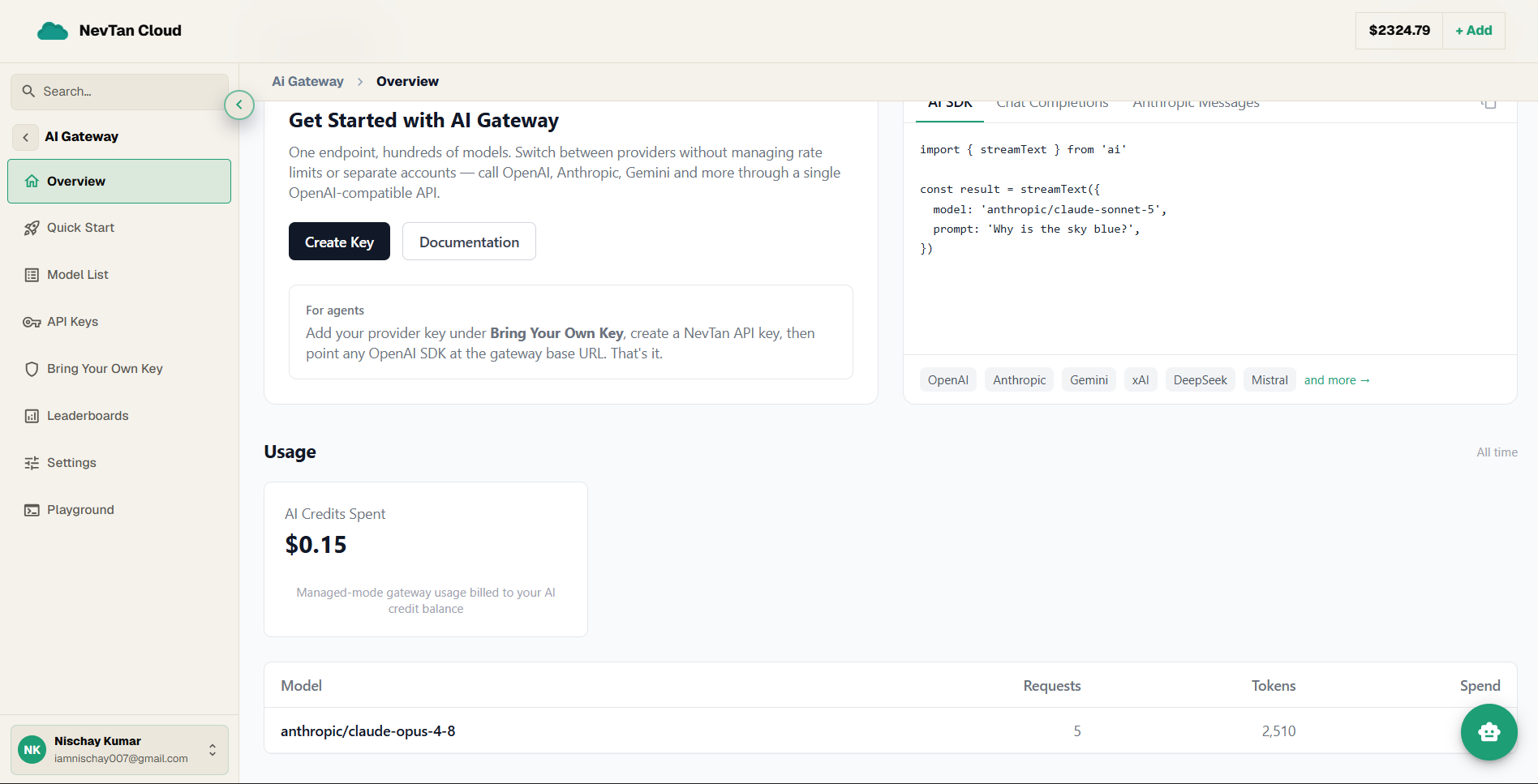
- 4Watch your usageThe Usage panel below shows your AI-credit spend and a per-model breakdown as calls come in.
Usage & spend
The gateway tracks what you spend and how many tokens you use, broken down by model. The Usage panel on the gateway Overview shows your total AI-credit spend, plus a per-model table of requests, tokens, and cost.
Base: https://api.cloud.nevtan.com/api/v1/gateway/usageYour usage summary — total spend plus a by-model breakdown.The response includes total_spend_usd and a by_model array, each entry carrying model, requests, tokens, and spend_usd.
Explore
Add a key and make your first call in three steps.
Add and manage your provider credentials (encrypted at rest).
Create and revoke the NevTan keys your code sends to the gateway.
Test any hosted model in the console — no code required.
Browse hosted models across every modality, with pricing.
The OpenAI-compatible chat completions endpoint.
Which models take the largest share of gateway volume.
Zero Data Retention and the provider allowlist for your team.
/gateway/usage report. With Bring Your Own Key you instead pay the upstream provider directly. Your own GPU model servers are billed per GPU-hour (see GPU pricing).